
MRP Sourcing Rule Assignment Upload creates, updates and deletes Oracle assignment sets and the sourcing rule assignments within them from Excel. Each row ties a sourcing rule or bill of distribution to a target at one of the six assignment levels (Global, Category, Item, Organization, Category-Organization, Item-Organization), and the upload processes the rows through Oracle’s standard sourcing assignment API, the same logic as the Sourcing Rule/Bill of Distribution Assignments form.
When to use it
- Create a new assignment set and load many sourcing rule assignments into it.
- Assign sourcing rules or bills of distribution to many items, categories, organizations or customer sites at once.
- Re-point existing assignments to a different sourcing rule.
- Remove obsolete assignments, or delete an entire assignment set.
- Maintain assignment set descriptions and descriptive flexfield attributes in bulk.
Before you start
- Access to Blitz Report from a manufacturing or planning responsibility with access to the item master organization you work with.
- The sourcing rules and bills of distribution to assign already exist, are planning active and have a receipt organization that is not disabled.
- For Category and Category-Organization assignments, the profile MRP:Sourcing Rule Category Set must be set; categories are taken from that category set.
Step 1 – Set the parameters
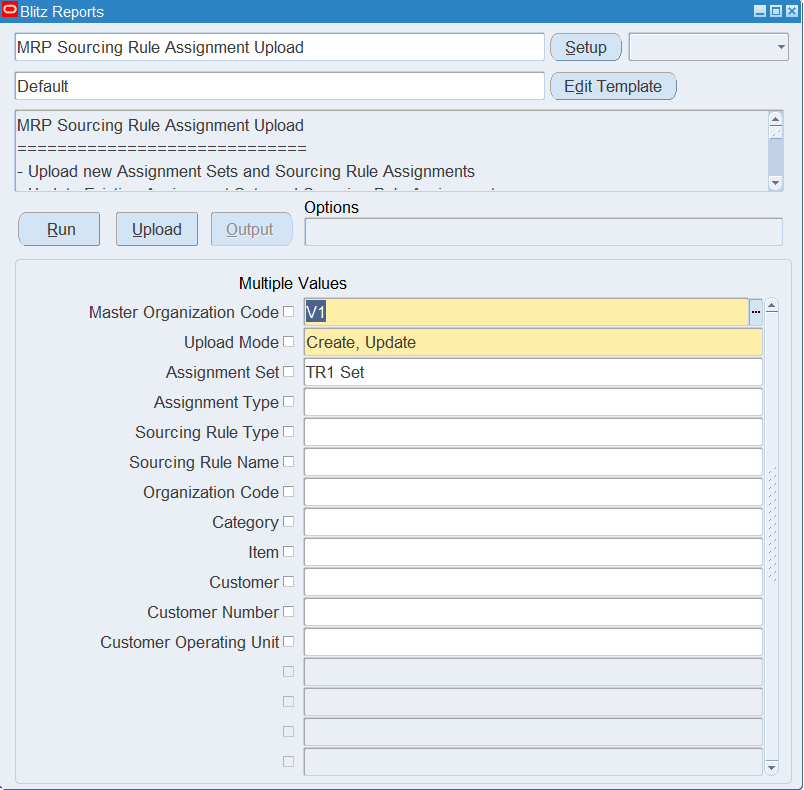
Open MRP Sourcing Rule Assignment Upload in Blitz Report and set the parameters:
| Parameter | Meaning |
|---|---|
| Master Organization Code | The item master organization. Items on rows without an Organization are looked up in this organization. Defaults to the master of your current inventory organization. |
| Upload Mode | Create opens an empty sheet for new assignments; Create, Update downloads existing assignments for editing or deletion and lets you add new rows. |
| Assignment Set | Restricts the download to one assignment set. |
| Assignment Type | Restricts the download to one assignment level, for example Item-Organization. |
| Sourcing Rule Type / Sourcing Rule Name | Restrict the download to assignments of sourcing rules or bills of distribution, or of one named rule. |
| Organization Code / Category / Item | Restrict the download to assignments for an organization, category or item. |
| Customer / Customer Number / Customer Operating Unit | Restrict the download to customer site assignments. |
For Create, Update, set at least the Assignment Set, so that only the assignments you want to maintain are downloaded.
Step 2 – Run to download the Excel file
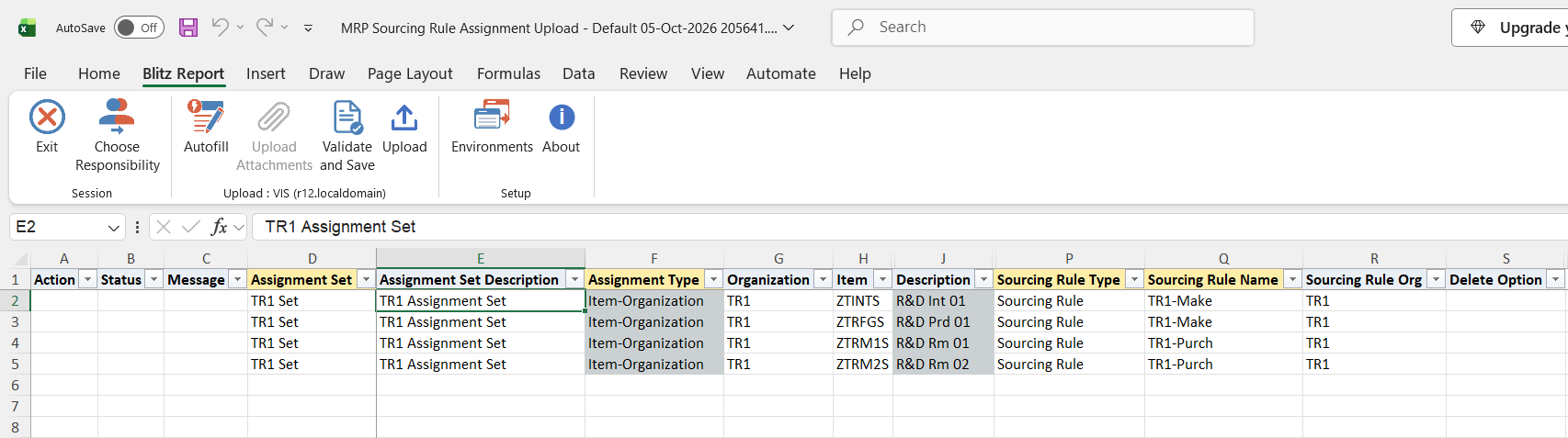
Click Run. The Excel file downloads and opens, with one row per existing assignment for Create, Update, or an empty sheet for Create.
Step 3 – Enter or change the assignments
To add an assignment, enter a row with the Assignment Set, the Assignment Type, the target columns that level needs, and the Sourcing Rule Type (Sourcing Rule or Bill of Distribution) and Sourcing Rule Name. An Assignment Set name that does not exist yet creates a new set, with the Assignment Set Description from the first row of that set.
| Assignment Type | Target columns |
|---|---|
| Global | None |
| Category | Category |
| Item | Item |
| Organization | Organization, or Customer Name with Customer Site |
| Category-Organization | Category, plus Organization or Customer Name with Customer Site |
| Item-Organization | Item, plus Organization or Customer Name with Customer Site |
Bills of distribution can only be assigned at Global, Category and Item level. A Sourcing Rule Org is only allowed at the organization levels and must match the row’s Organization. For customer assignments, Customer Site Use (Ship To or Bill To) and Customer Site Ou identify the site when the location name alone is not unique. Description shows the item or category description and is filled in for you.
To change a downloaded assignment, edit its target or sourcing rule columns, or the Assignment Set Description. To delete, set Delete Option to Assignment to delete that row’s assignment, or to Assignment Set on the first row of a set to delete the whole set with all its assignments.
Step 4 – Validate and Save
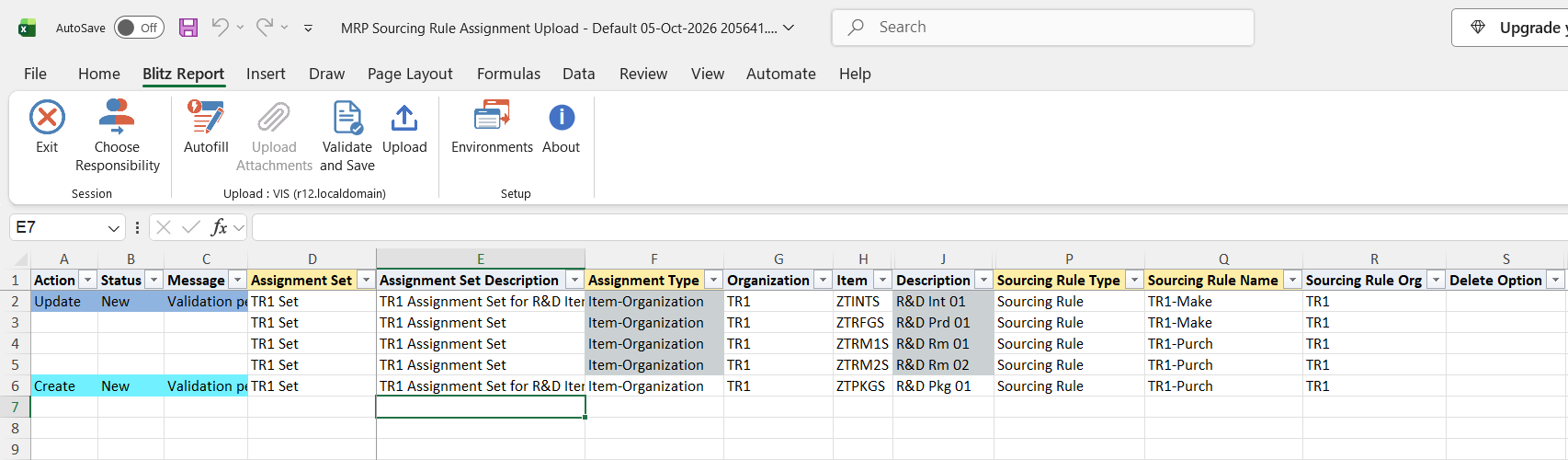
Click Validate and Save. This checks for missing required values and saves the file. Correct any rows it flags before uploading.
Step 5 – Upload the file
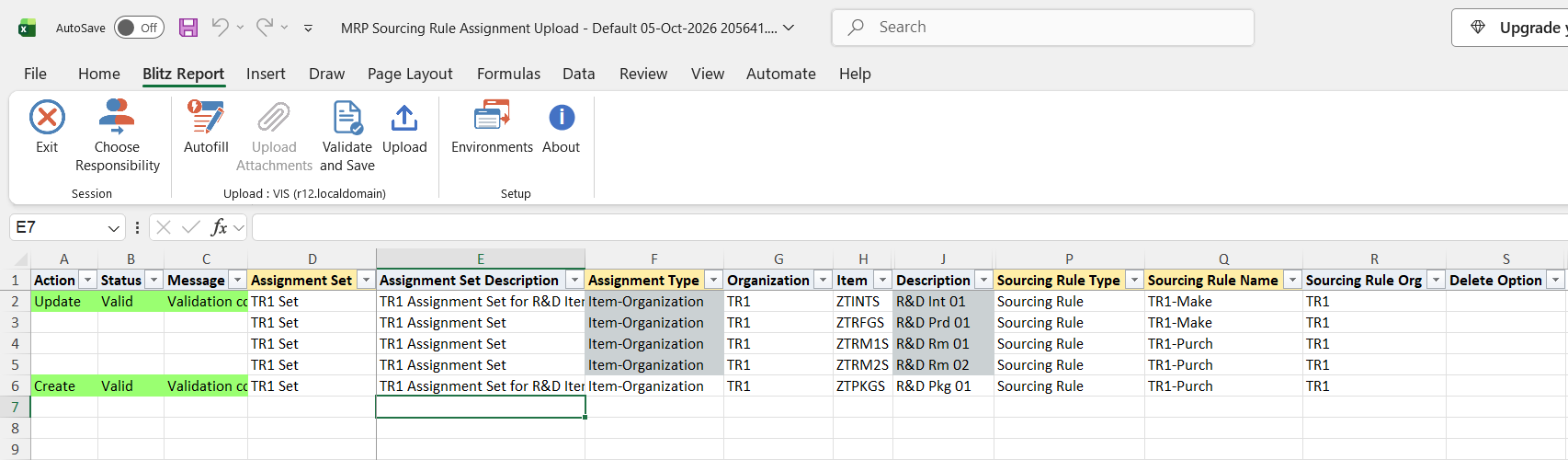
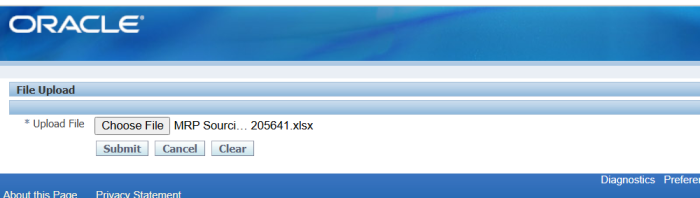
In Blitz Report click Upload and select the saved file. This submits the upload request, which validates each row and creates, updates or deletes the assignment sets and assignments through Oracle’s sourcing assignment API.
Step 6 – Review the result report
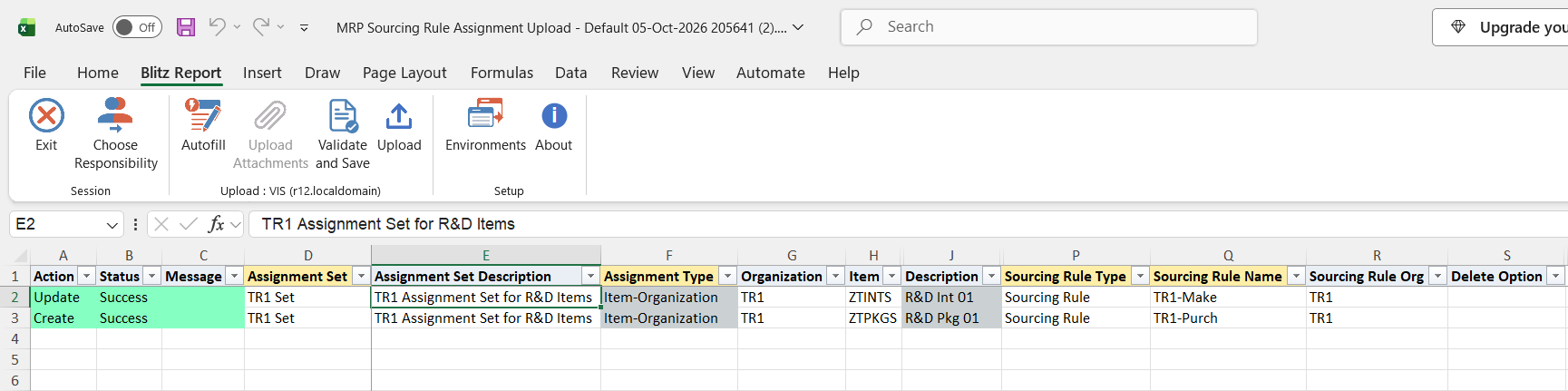
When the request completes, a result report opens listing every uploaded row with its status and message, showing the assignments as stored in Oracle.
What’s produced
- Assignment sets and sourcing rule assignments created, updated or deleted.
- A result report listing every row with a status (success or error) and a message.
Common questions
How does it know whether to create or update?
An assignment set is found by its name, an assignment by its set, assignment type, sourcing rule type and target (organization, item, category, customer site). Found means update, not found means create. In Create mode existing assignments cannot be updated or deleted.
Why can I not pick Category as an assignment type?
Category levels need the profile MRP:Sourcing Rule Category Set. The Category level itself is also not offered when that category set is controlled at organization level; use Category-Organization instead.
Can I assign a bill of distribution to an organization?
No. Bills of distribution are valid only for Global, Category and Item assignments; the organization levels accept sourcing rules only.
Which items can I select?
On a row with an Organization, items of that organization; otherwise items of the Master Organization Code parameter.
How do I delete a whole assignment set?
Download it in Create, Update mode and set Delete Option to Assignment Set on the first row of that set. A set delete requested on a later row of the same set is rejected.
Troubleshooting
| Message | Cause | What to do |
|---|---|---|
| Sourcing Rule Type/Name/Org is not valid | No planning active sourcing rule or bill of distribution with that type, name and organization and an enabled receipt organization exists. | Check the Sourcing Rule Type, Name and Sourcing Rule Org; leave the org empty for rules valid in all organizations. |
| The Sourcing Rule Type is invalid for this Assignment Type | A bill of distribution was assigned at an organization level. | Use a sourcing rule, or a Global, Category or Item assignment. |
| Only Global Sourcing Rules can be specified for this assignment type | A Sourcing Rule Org was entered on a Global, Category or Item row. | Clear the Sourcing Rule Org and use a rule valid in all organizations. |
| The Sourcing Rule Organization (if specified) must match the Assignment Organization | The Sourcing Rule Org differs from the row’s Organization. | Use a rule of the same organization or one valid in all organizations. |
| Organization or Customer must be specified for this assignment type | An organization level row has neither or both an Organization and a Customer. | Enter exactly one of Organization or Customer Name. |
| Item must be specified for this assignment type / Category must be specified for this assignment type | The target column the assignment type requires is empty. | Enter the Item or Category, or change the Assignment Type. |
| Item is not valid | The item does not exist in the row’s Organization (or the master organization) or is not a standard, model or option class item. | Check the item and organization. |
| Category level assignments are not permitted. Profile ‘MRP:Sourcing Rule Category’ Set is not set | A Category was entered but the category set profile is empty. | Set profile MRP:Sourcing Rule Category Set. |
| Customer Site is required when a Customer is specified | A Customer Name was entered without a Customer Site. | Enter the Customer Site. |
| Customer Site / Site Use / Operating Unit combination is not valid | No active Ship To or Bill To site matches the entered values. | Pick the site from the list, with its Site Use and Operating Unit. |
| You can not update existing Assignments in Create Mode | The row matches an existing assignment but the file was downloaded in Create mode. | Download in Create, Update mode to change existing assignments. |
| Assignment cannot be deleted. Assignment entry does not exist | Delete Option Assignment was set on a row that matches no assignment. | Download the assignment first and delete it from that row. |
| An Assignment Set can only be deleted from the first row of that set in the file | Delete Option Assignment Set was set on a later row of the set. | Set it on the first row of that assignment set. |