
INV Item Transaction Defaults Upload

Description
INV Item Transaction Defaults Upload creates, updates and deletes item transaction defaults from Excel: the default subinventory, and the default locator within a subinventory, that Oracle Inventory proposes for an item when it is shipped, received or put away by a move order receipt in an inventory organization. These are the defaults maintained in the Item Transaction Defaults window.
When to use it
- Mass-assign default shipping, receiving or move order receipt subinventories to many items.
- Set default locators for items in locator-controlled subinventories.
- Set up transaction defaults for a new inventory organization or for newly assigned items.
- Re-point existing defaults after a subinventory or locator reorganization.
- Delete obsolete defaults in bulk.
Before you start
- Access to the upload in Blitz Report, for example from an Inventory responsibility.
- The items are assigned to the organization, and the subinventories and locators exist and are active there.
- For items with restricted subinventories, the default subinventory must be in the item’s subinventory list.
Step 1 – Set the parameters
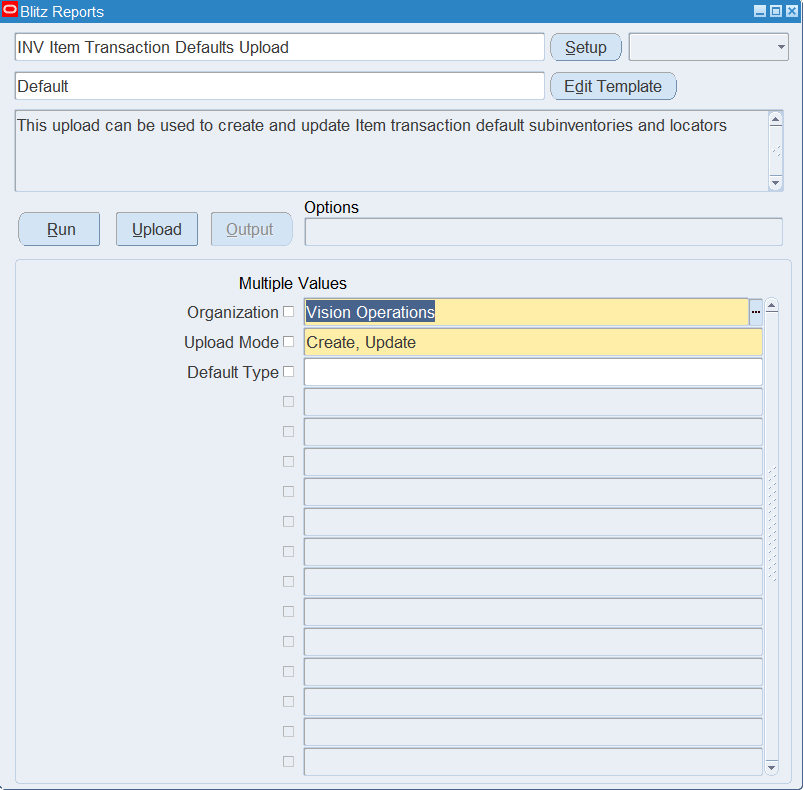
Open INV Item Transaction Defaults Upload in Blitz Report and set the parameters:
| Parameter | Meaning |
|---|---|
| Organization | The inventory organization whose existing defaults are downloaded. New rows default to this organization. |
| Upload Mode | Create opens an empty sheet for new defaults; Create, Update downloads the organization’s existing defaults for editing and lets you add new ones. |
| Default Type | Optional. SUBINVENTORY or LOCATOR downloads only subinventory or only locator defaults; leave it empty for both. |
Step 2 – Run to download the Excel file
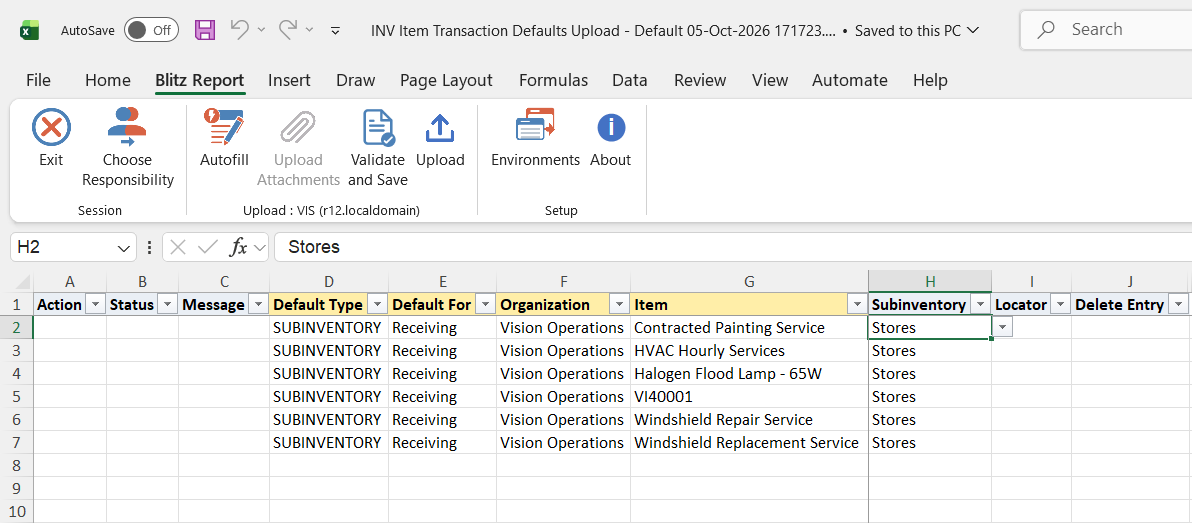
Click Run. The Excel file downloads and opens with one row per existing default, or an empty sheet in Create mode.
Step 3 – Enter or change the defaults
Each row is one default:
- Default Type – SUBINVENTORY for a default subinventory, LOCATOR for a default locator.
- Default For – the transaction the default applies to: Shipping, Receiving or Move Order Receipt.
- Organization and Item – the inventory organization and the item.
- Subinventory – the default subinventory; on a LOCATOR row, the subinventory of the locator. On LOCATOR rows the list only offers locator-controlled subinventories.
- Locator – the default locator, LOCATOR rows only.
- Delete Entry – set to Yes to delete the default.
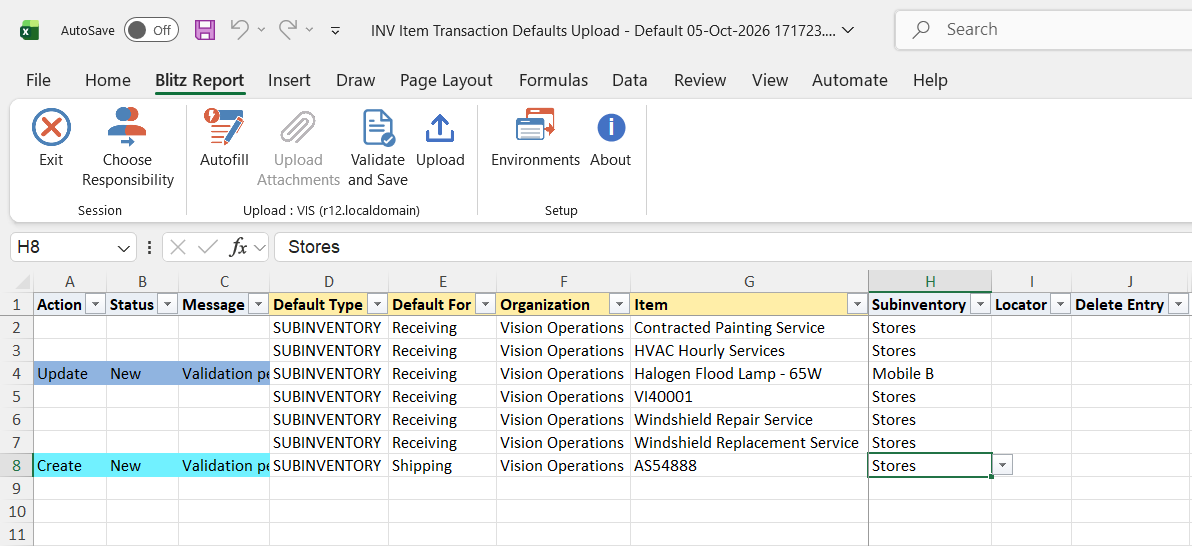
An item has one default subinventory per Default For, so entering a different Subinventory on a SUBINVENTORY row replaces the existing default. For locators, an item has one default locator per Default For and subinventory: a LOCATOR row for a subinventory that already has a default replaces its locator, a row for another subinventory adds a default. Change the Subinventory or Locator of a downloaded row, or add rows below the downloaded ones. Edited rows are marked Update and new rows Create.
Step 4 – Validate and Save
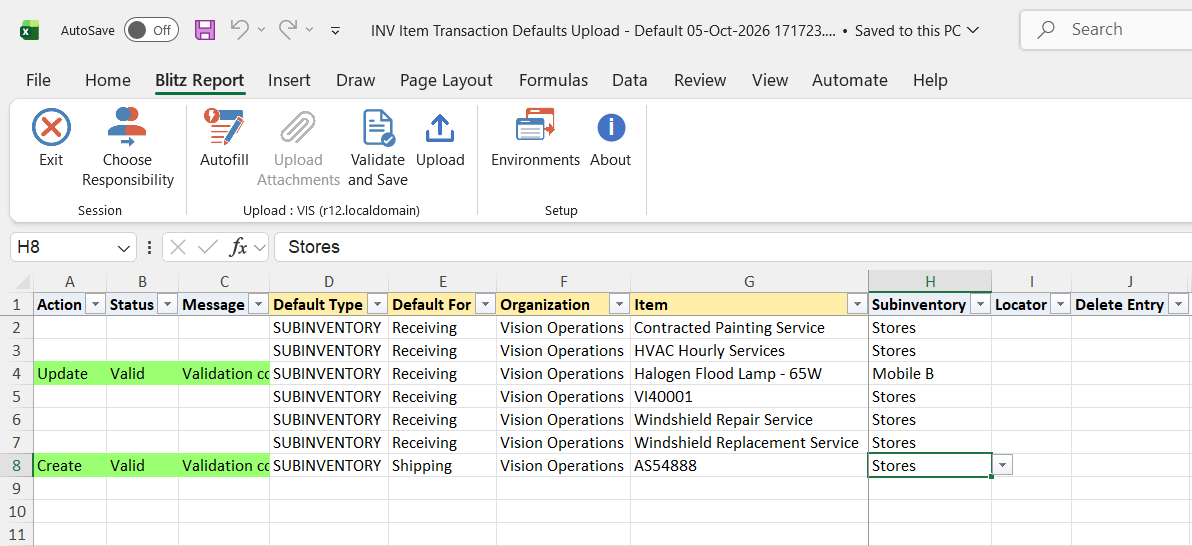
Click Validate and Save. This checks for missing required values and saves the file. Correct any rows it flags before uploading.
Step 5 – Upload the file
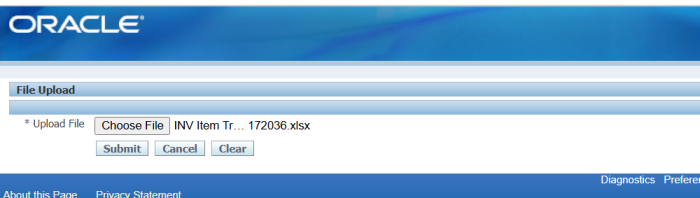
In Blitz Report click Upload and select the saved file. This submits the upload request, which validates the item, subinventory and locator in the organization and creates, updates or deletes each default.
Step 6 – Review the result report
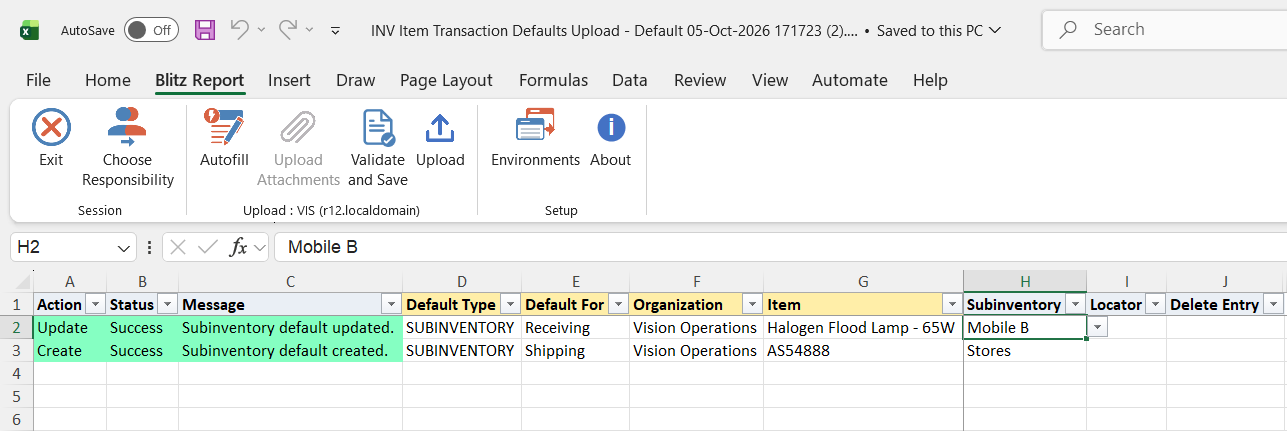
When the request completes, a result report opens listing every uploaded row with its status and message, for example Subinventory default created. or Locator default updated.
What’s produced
- Item transaction default subinventories and locators created, updated or deleted in the organization.
- A result report listing every row with a status (success or error) and a message.
Common questions
What is the difference between the SUBINVENTORY and LOCATOR default types?
A SUBINVENTORY row sets the subinventory Oracle proposes for the item for that transaction. A LOCATOR row sets the locator proposed when the item is transacted in that subinventory.
Do I have to choose create or update?
No. The upload checks whether the item already has a default for the Default For (and, for locators, the subinventory) and creates or replaces it accordingly. A row whose value equals the existing default is reported as success without a change.
How do I delete a default?
Set Delete Entry to Yes on the row. A SUBINVENTORY row deletes the item’s default subinventory for that Default For. A LOCATOR row deletes the default locator of the given subinventory; if you leave Subinventory and Locator empty, all of the item’s locator defaults for that Default For are deleted.
Why is a subinventory missing from the list on a LOCATOR row?
Only subinventories under locator control with active locators can hold a locator default.
Can I download the defaults of several organizations at once?
No. The download covers one organization; run it once per organization, or add rows for other organizations in the Organization column.
Troubleshooting
| Message | Cause | What to do |
|---|---|---|
| Subinventory is required to create or update a transaction default. | A create or update row has no Subinventory. | Enter the subinventory. |
| Locator is required to create or update a locator transaction default. | A LOCATOR row has no Locator. | Enter a locator of the subinventory, or change the row to SUBINVENTORY. |
| Subinventory is required when Locator is specified. | A LOCATOR row has a Locator but no Subinventory. | Enter the subinventory of the locator. |
| Cannot delete: no matching default exists for the given item, organization and default type. | Delete Entry is Yes but the item has no such default. | Check the item, Default Type, Default For, Subinventory and Locator, or clear Delete Entry. |
| Subinventory code is either not entered or not valid for the given organization | The subinventory does not exist or is disabled in the organization. | Pick an active subinventory of the organization. |
| The Subinventory specified is not in the restricted list for the given item | The item has restricted subinventories and the subinventory is not one of them. | Use a subinventory from the item’s list, or add it to the item’s subinventory list first. |
| You have entered an invalid locator. | The locator does not belong to the subinventory or is not active. | Pick an active locator of the subinventory. |
| Inventory Item not found for organization_id=… and item_id=… | The item is not assigned to the organization. | Assign the item to the organization first. |
SQL 59 lines
select x.* from ( select null action_, null status_, null message_, null modified_columns_, 'SUBINVENTORY' default_type, decode(misd.default_type,1,'Shipping',2,'Receiving',3,'Move Order Receipt') default_for, haouv.name organization, msiv.concatenated_segments item, misd.subinventory_code subinventory, null locator, null delete_entry, misd.subinventory_code old_subinventory, null old_locator, to_number(null) upload_row from mtl_item_sub_defaults misd, hr_all_organization_units_vl haouv, mtl_system_items_vl msiv where haouv.organization_id=misd.organization_id and msiv.organization_id=haouv.organization_id and msiv.inventory_item_id=misd.inventory_item_id and 1=1 union all select null action_, null status_, null message_, null modified_columns_, 'LOCATOR' default_type, decode(mild.default_type,1,'Shipping',2,'Receiving',3,'Move Order Receipt') default_for, haouv.name organization, msiv.concatenated_segments item, mild.subinventory_code subinventory, milk.concatenated_segments locator, null delete_entry, mild.subinventory_code old_subinventory, milk.concatenated_segments old_locator, to_number(null) upload_row from mtl_item_loc_defaults mild, hr_all_organization_units_vl haouv, mtl_system_items_vl msiv, mtl_item_locations_kfv milk where haouv.organization_id=mild.organization_id and msiv.organization_id=haouv.organization_id and msiv.inventory_item_id=mild.inventory_item_id and mild.locator_id=milk.inventory_location_id and mild.organization_id=milk.organization_id and 1=1 ) x where 2=2 |
Parameters 3
| Parameter | Type | List of values SQL | |
|---|---|---|---|
| Organization | LOV |
| |
| Upload Mode | LOV |
| |
| Default Type | LOV |
|