
OKL Lease Contract Update Upload changes the Bill To of Oracle Lease and Finance Management contracts from Excel: the bill to customer account and the bill to site on the contract header. You download the lease contracts, enter the new Bill To Customer Account, Bill To Site or both, and the upload updates each contract through Oracle’s public lease contract API.
When to use it
- A lessee asks for invoices to go to a different billing address.
- A customer account is merged or reorganised and its contracts must bill to another account and site.
- Correct the bill to site on many contracts at once instead of opening each one in the contract authoring pages.
Before you start
- Access to Blitz Report from a responsibility with access to the operating unit of the contracts, typically a Lease and Finance Management responsibility.
- The new bill to site exists as an active Bill To site use of the customer account in the contract’s operating unit.
- A Bill To change does not require a rebook. It was verified on Booked, Evergreen, Passed and Incomplete contracts. Changes to financial terms still go through Oracle’s rebook process; this upload does not touch them.
Step 1 – Set the parameters
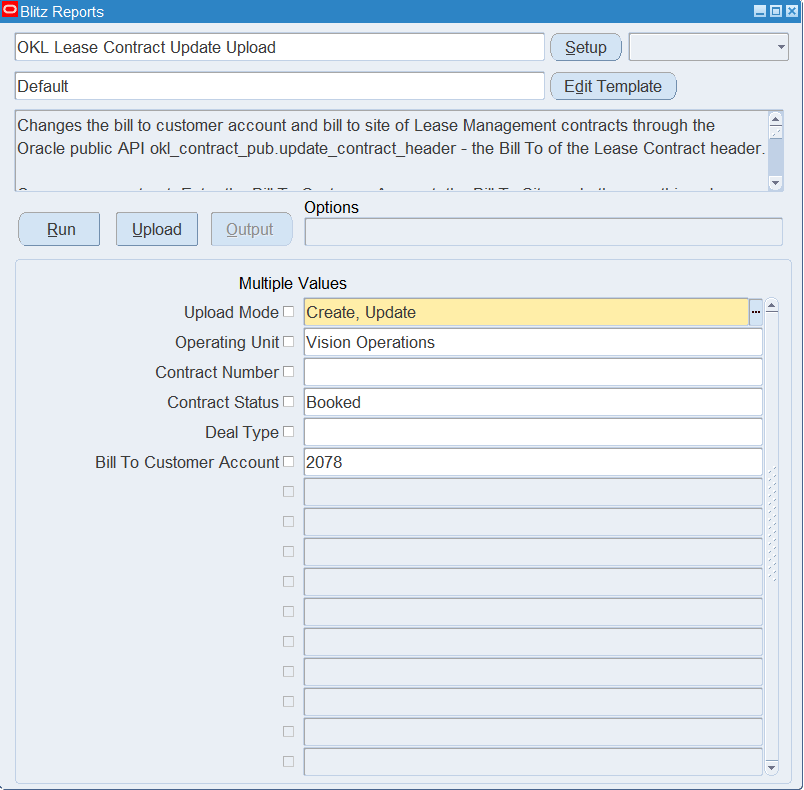
Open OKL Lease Contract Update Upload in Blitz Report and set the parameters to select the contracts to download:
| Parameter | Meaning |
|---|---|
| Upload Mode | Create, Update (default) downloads the selected contracts for editing. |
| Operating Unit | Restricts the download to the contracts of one operating unit. Set it first: the Bill To Customer Account list shows the accounts with bill to sites in this operating unit. |
| Contract Number | Downloads a single lease contract. |
| Contract Status | Restricts the download to one contract status, for example Booked or Evergreen. |
| Deal Type | Restricts the download to one deal type, for example Operating Lease, Direct Finance Lease or Loan. |
| Bill To Customer Account | Downloads the contracts currently billed to this customer account. |
Without restricting parameters, all lease contracts of the operating units your responsibility can access are downloaded.
Step 2 – Run to download the Excel file
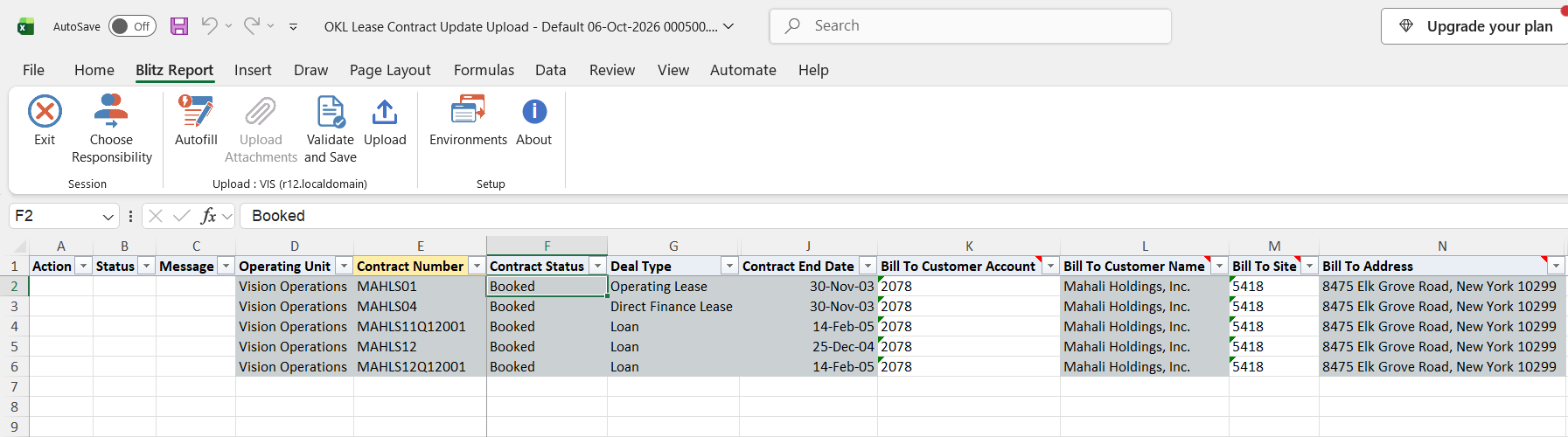
Click Run. The Excel file downloads and opens with one row per contract, showing its operating unit, contract number, status, deal type, currency, start and end date and the current Bill To Customer Account, Bill To Customer Name, Bill To Site and Bill To Address.
Step 3 – Change the Bill To
Only two columns can be changed; all others are read only context:
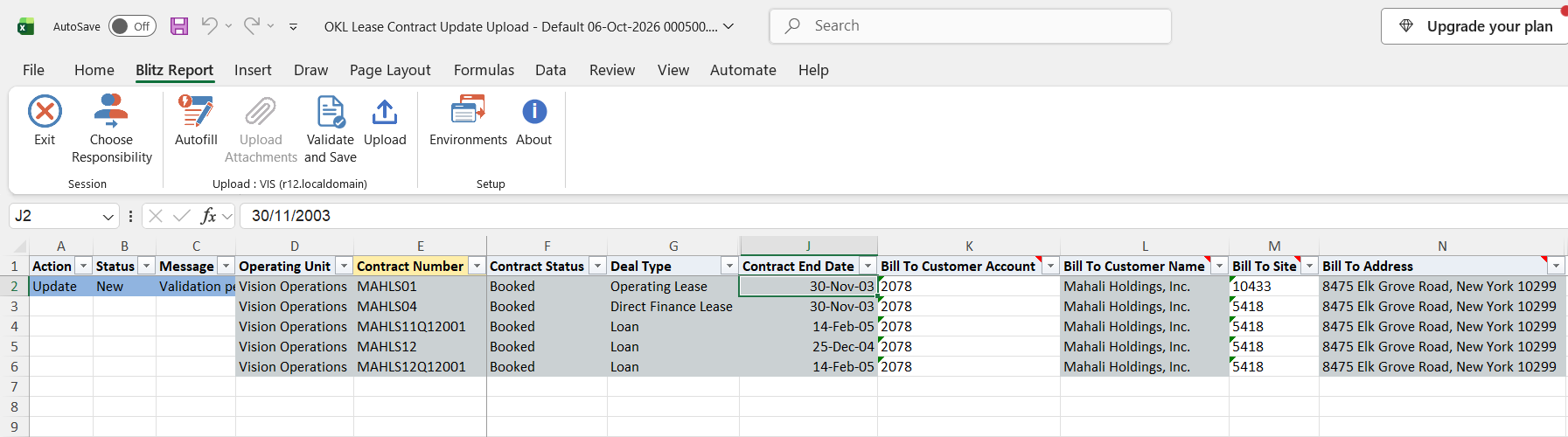
- Bill To Site: pick the new site from the list, which shows the active bill to sites of the row’s Bill To Customer Account in the contract’s operating unit. To change only the site, leave the account as it is.
- Bill To Customer Account: to move the contract to another account, change the account and pick a Bill To Site of that account on the same row. A site that does not belong to the account on the row is rejected.
Changed rows are marked Update. Bill To Customer Name and Bill To Address are not refreshed in the sheet; the result report shows the values stored on the contract. The two columns cannot be cleared.
Step 4 – Validate and Save
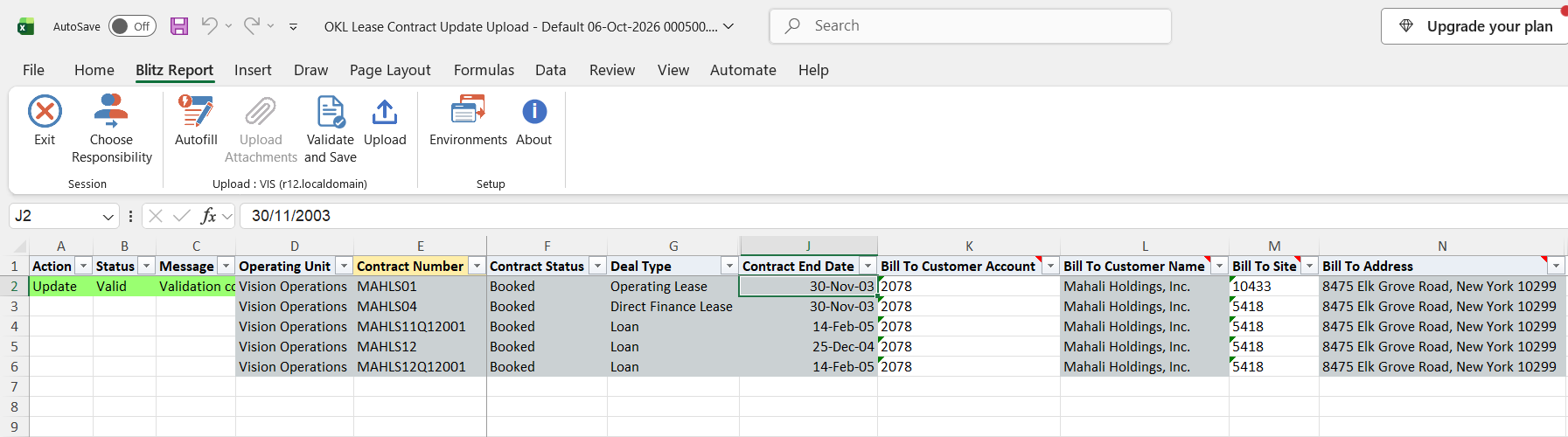
Click Validate and Save. This checks for missing required values and saves the file. Correct any rows it flags before uploading.
Step 5 – Upload the file
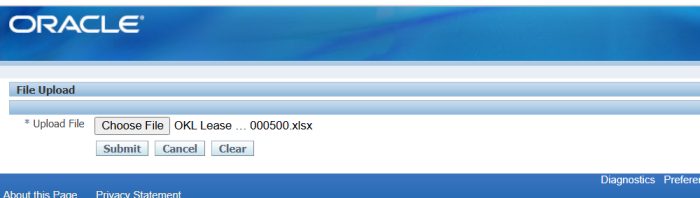
In Blitz Report click Upload and select the saved file. This submits the upload request, which updates the Bill To on each changed contract through Oracle’s lease contract API.
Step 6 – Review the result report
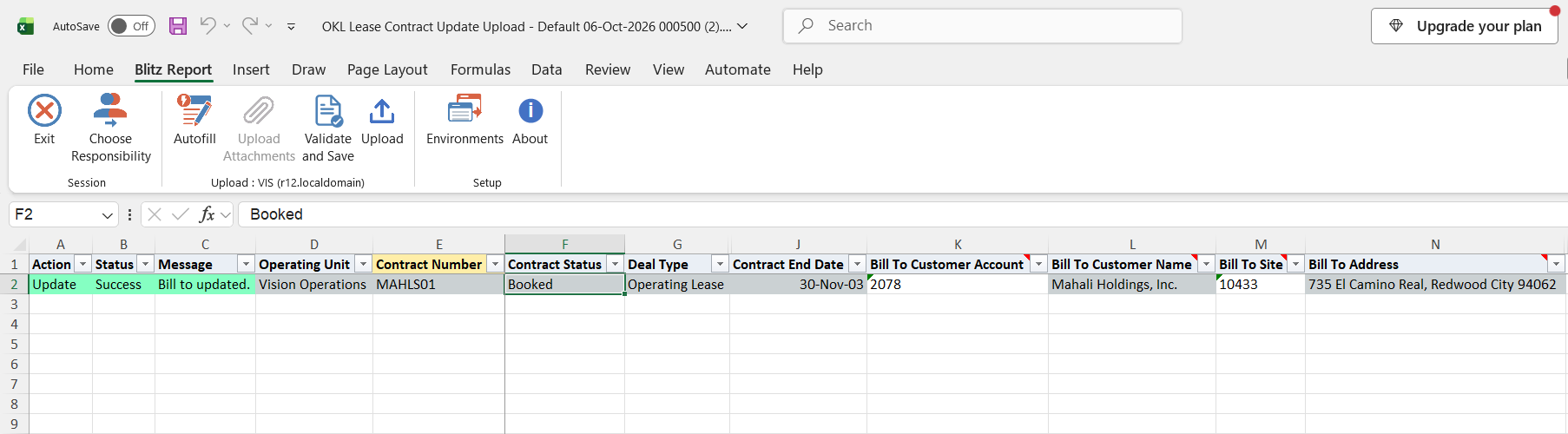
When the request completes, a result report opens listing every uploaded row with its status and message, showing the contract’s Bill To Customer Account, Bill To Site and the address as stored after the update.
What’s produced
- The bill to customer account and bill to site updated on the lease contract headers. The contract status does not change.
- A result report listing every row with a status (success or error) and a message.
Common questions
Do I need to rebook the contract after the change?
No. A Bill To change is accepted on booked and active contracts without a rebook, and the contract keeps its status. Rebook remains necessary for changes to financial terms, which this upload does not make.
Can I add contracts or change other fields?
No. The upload only updates the Bill To of existing lease contracts. Every other column is for reference only.
Can I paste a list of contracts instead of downloading them?
Yes. Enter the Contract Number and the new Bill To Site; the Bill To Customer Account defaults from the contract, so the site list can still be used on a pasted row.
Why are loan contracts in the download?
Loans authored in Lease and Finance Management are lease contracts with deal type Loan. Use the Deal Type parameter to exclude or select them.
What happens if I upload a row without a real change?
The row is reported with the message No change. and the contract is not updated.
Troubleshooting
| Message | Cause | What to do |
|---|---|---|
| Contract <number> not found. | No lease contract with this contract number exists. | Correct the Contract Number. |
| Contract <number> is not a lease contract. | The contract belongs to another contract class, for example a service contract. | Only lease contracts can be updated with this upload. |
| Contract <number> has no Lease Management details. | The contract header has no Lease and Finance Management record. | Maintain the contract in its own application. |
| You do not have access to the operating unit of contract <number>. | Your responsibility has no access to the contract’s operating unit. | Run the upload from a responsibility with access to that operating unit. |
| The Bill To Customer Account and Bill To Site cannot be cleared. Enter the new values, or leave the cells as they are. | A Bill To cell was emptied. | Enter a new value or restore the original. |
| The Bill To Site does not belong to the Bill To Customer Account. | The site belongs to a different customer account than the one on the row. | Pick a site from the list for the row’s account, or change both columns together. |
| Bill To Site not found. | The site is not a Bill To site use in the contract’s operating unit. | Pick the site from the Bill To Site list. |
| Other Oracle messages | The lease contract API rejected the update, for example because of the contract’s status or your responsibility’s access to the contract. | Read the message, correct the data or run from an appropriate Lease and Finance Management responsibility, and upload again. |