
1 Automated procedure
2 References
3 Create a new concurrent manager
4 Add an exclude rule to the Standard manager
5 Activate the custom concurrent manager
6 Run a test concurrent request
7 Conclusion
Preface
In this post I will describe how to create a dedicated Oracle EBS concurrent manager for running custom concurrent programs. I will create a new concurrent manager to exclusively run Blitz Report and Blitz Upload concurrent requests. But the same steps apply to any custom concurrent program.
1 Automated procedure
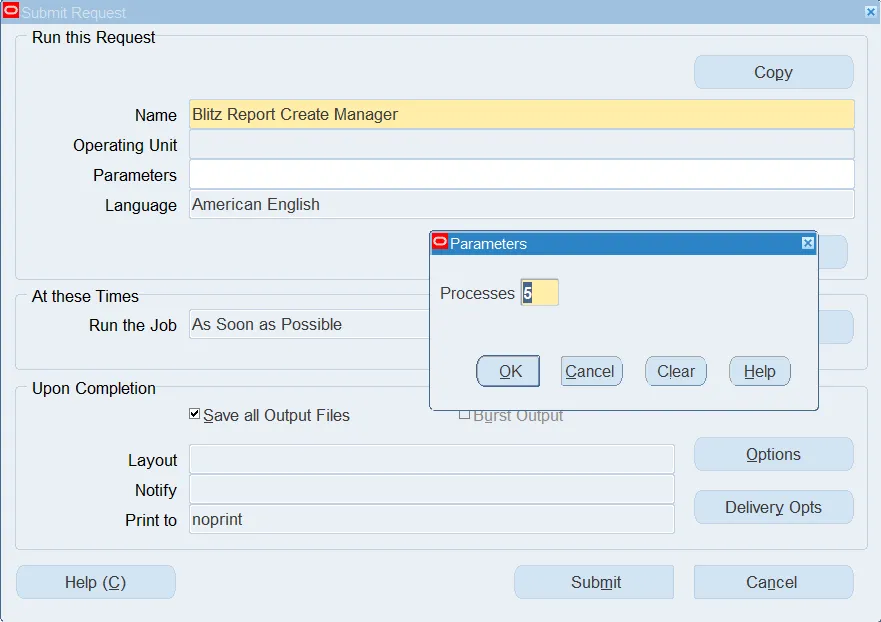
To automate the steps below you may run a concurrent request ‘Blitz Report Create Manager’ like shown on the screenshot below. The request accepts the Processes parameter which defines a number of concurrent manager processes.
2 References
Concurrent Processing R12 : How To Set Concurrent Program To Run Exclusively From A Custom Manager (Doc ID 2268941.1)
3 Create a new concurrent manager
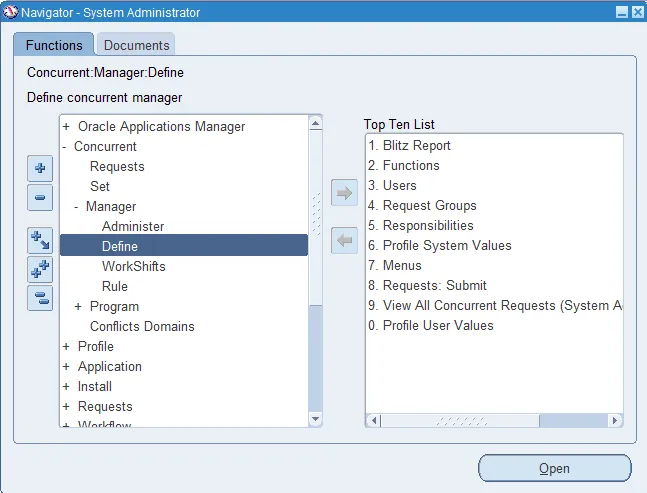
Go to System Administrator>Concurrent>Manager>Define and create a new concurrent manager as follows:
Manager: Blitz Report Manager
Short Name: XXEN_REPORT_MANAGER
Application Name: Enginatics Custom Application
Description: A dedicated manager to run Blitz Reports
Program Library Name: FNDLIBR

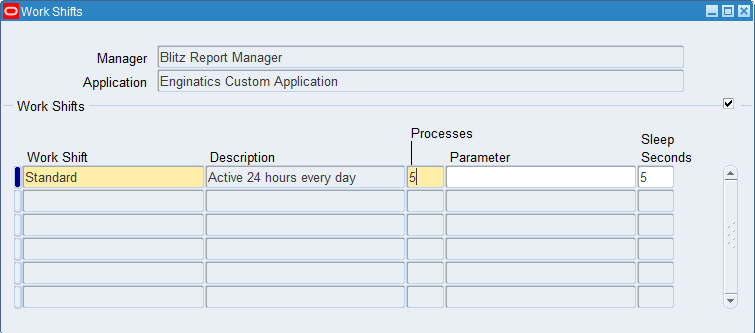
Click on the ‘Work Shifts’ and specify a number of concurrent manager processes as well as a number of sleep seconds. The number of concurrent manager processes depends on the expected workload. I advise to keep the sleep seconds as low as 5 seconds to improve the Blitz Report performance.
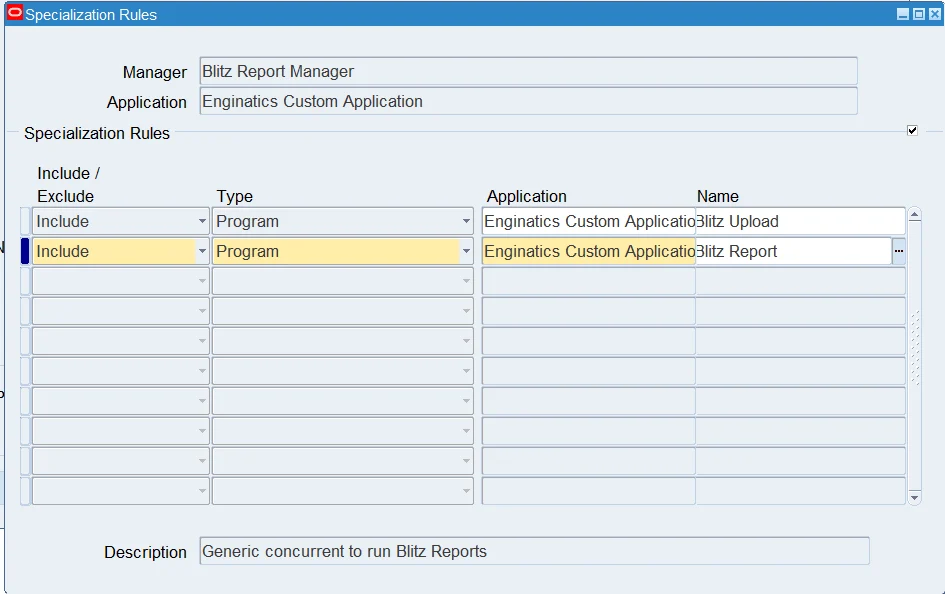
Click on the ‘Specialization Rules’and add a new include rule for Blitz Report program.
4 Add an exclude rule to the Standard manager
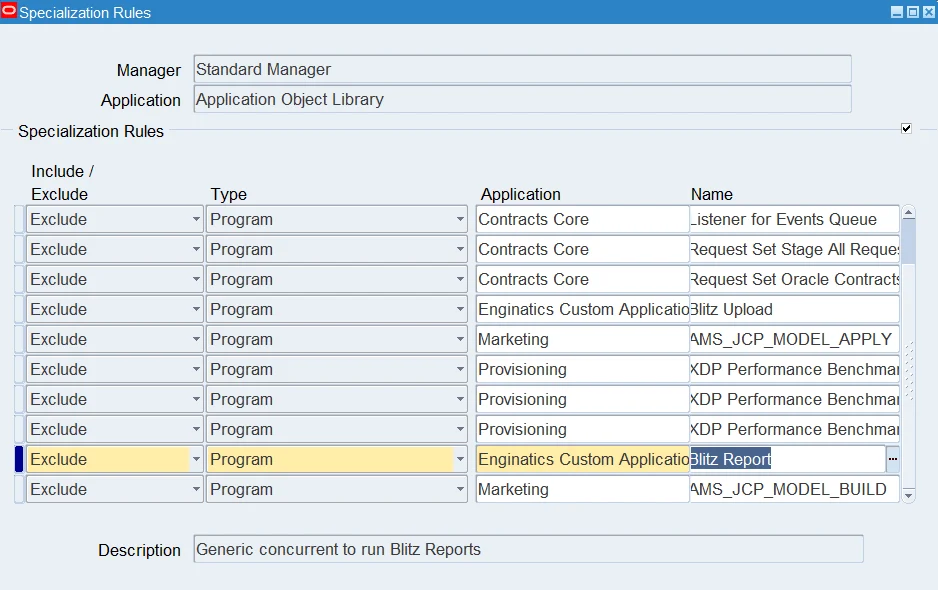
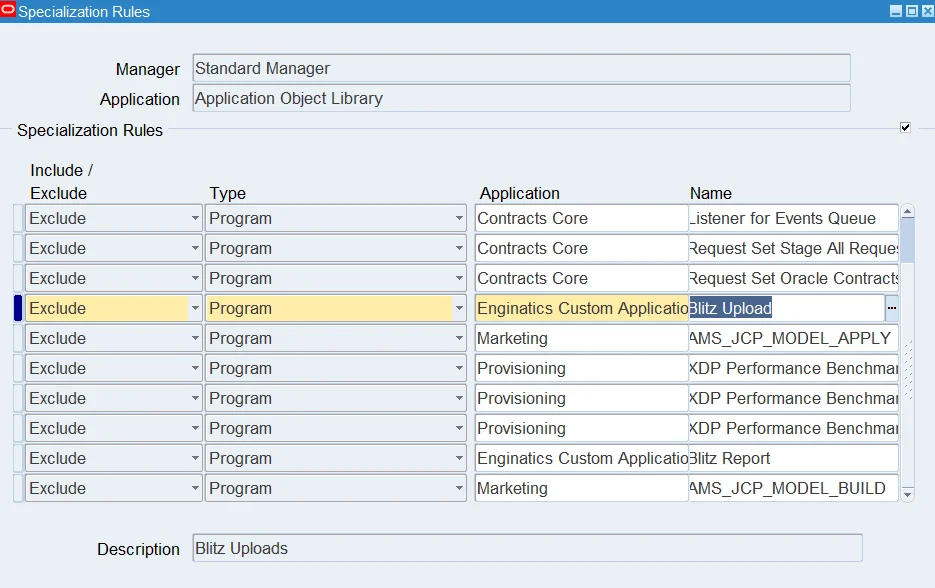
It is also required to add an exclude rule to the Standard manager to make sure that it does not pick up Blitz Reports for processing. Query the Standard Manager and click on the ‘Specialization Rules’. Add a new exclude rule for Blitz Report concurrent program.

5 Activate the custom concurrent manager
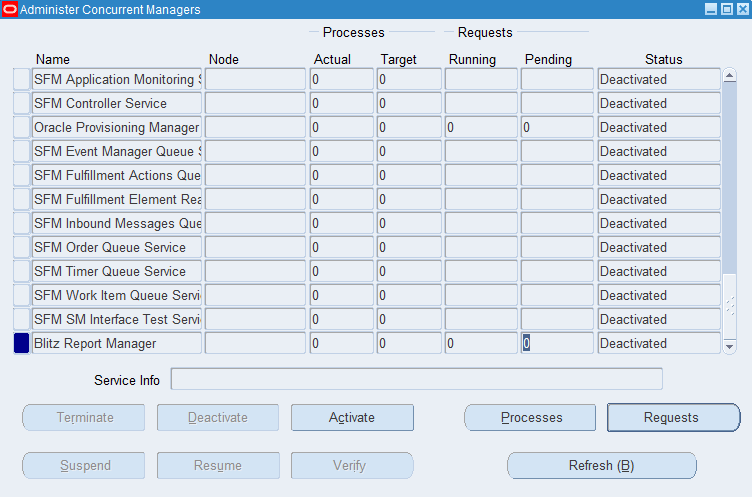
Go to System Administrator>Concurrent>Manager>Administer and activate the new custom manager.

6 Run a test concurrent request
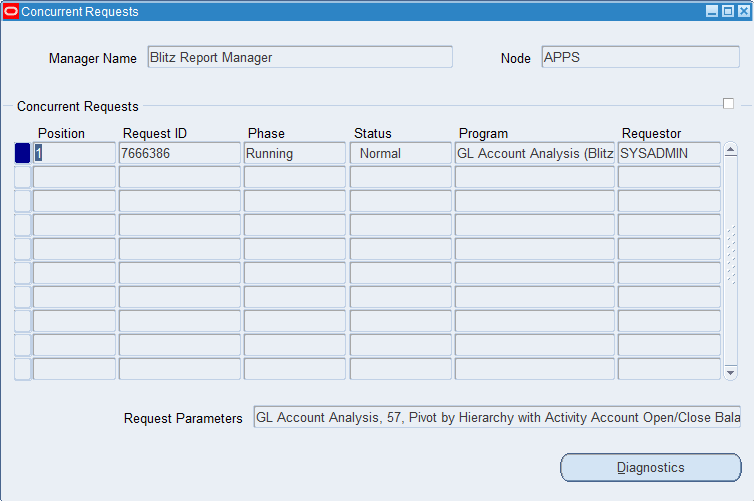
Run a test custom concurrent request, a Blitz Report in our case. While the request is running go to System Administrator>Concurrent>Manager>Administer>Blitz Manager>Requests and make sure that it is being processed by the custom manager.
7 Conclusion
At this point you have configured a dedicated concurrent manager for a custom program. You may test the performance and change some settings like the number of the concurrent manager processes later.