
1 Why Oracle FSG users are looking for a replacement
2 Why Blitz FSG
3 What the converter converts
4 Migration process
4.1 Install Blitz Report
4.2 Open a Blitz FSG workbook
4.3 Convert your FSG reports
4.4 Validate the conversion
4.5 Publish the statements
5 After the migration
6 Summary
Introduction
Oracle Financial Statement Generator (FSG) has produced the financial statements of Oracle E-Business Suite customers for decades. Row sets, column sets and content sets can describe almost any statement, but the result is static: a report output that cannot be refreshed or drilled into, and every change to a statement is a change to the FSG setup.
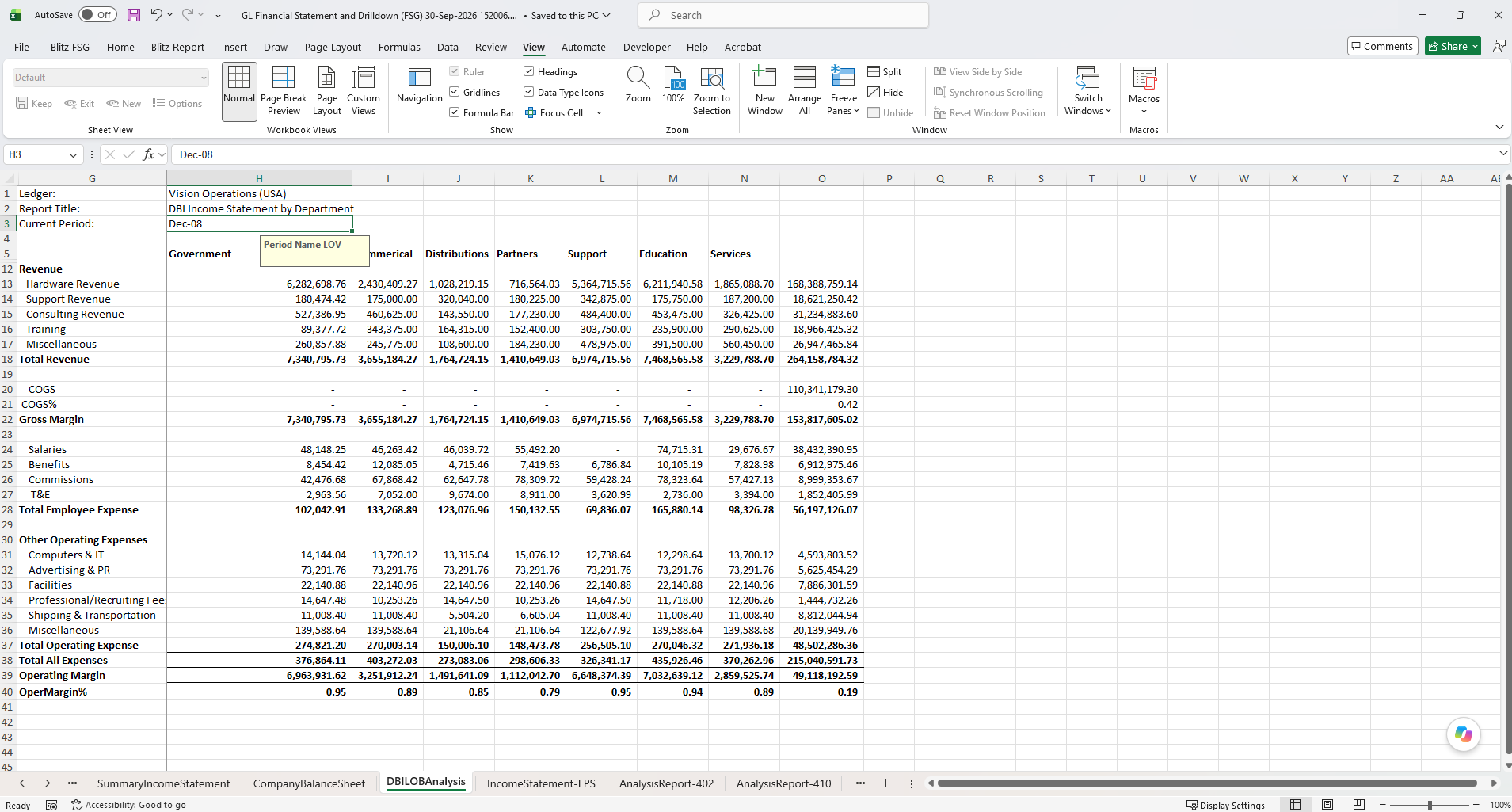
Blitz FSG, the GL Financial Statement and Drilldown (FSG) report of Blitz Report, replaces it with live financial statements in Excel. Every amount is a formula on the GL balances of your EBS instance, refreshed on demand, and every balance drills down to its journals, subledger transactions and the source transaction in EBS. The Oracle FSG converter reads your FSG report definitions directly from EBS and rebuilds them as Blitz FSG worksheets, many reports in one run, so moving your FSG library is a conversion and a tie-out, not a rebuild.
The converter also does the work that used to follow a conversion: rows that FSG expands at run time are generated automatically, which on one customer’s statement meant more than 1,300 rows that had previously been built by hand.
1 Why Oracle FSG users are looking for a replacement
FSG was built for printed reports, while finance teams analyse their numbers in Excel. The gap shows at every month end:
- Static output: a finished FSG report is text or an XML Publisher document. Investigating a number means going back to Account Inquiry or running another report.
- Changes are setup work: row sets, column sets, content sets, row orders and display sets are maintained in the FSG forms, usually by a few specialists, so adding a column or regrouping accounts waits for them.
- Excel rework: the output is copied into Excel and reformatted after every run, and the work is repeated the next month.
- One report per value: a content set produces a separate report for each department or company, to be read one by one rather than analysed side by side.
2 Why Blitz FSG
Blitz FSG keeps the concepts finance users know from FSG, such as account assignments, amount types, period offsets and calculations, and moves them into an Excel workbook connected to EBS:
- Live statements in Excel: every amount is a Balance formula for a ledger, period, amount type and segment values. Formats, charts, variance columns and your own formulas sit next to the Oracle balances.
- Refresh on demand: change the period or a segment value in a cell and refresh a range, a sheet or the whole workbook. Balances are fetched in batches, so large statements refresh quickly, also over remote connections.
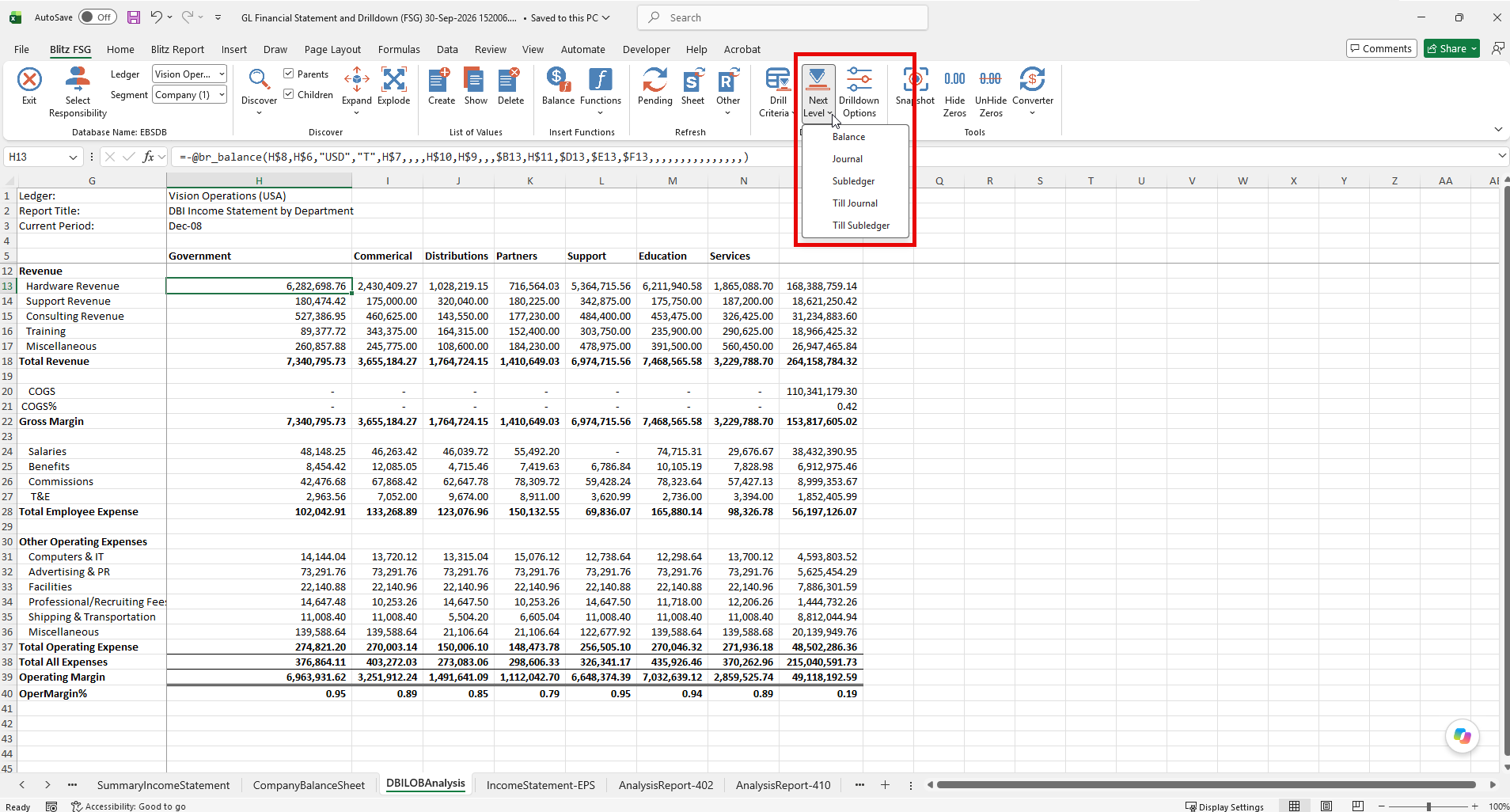
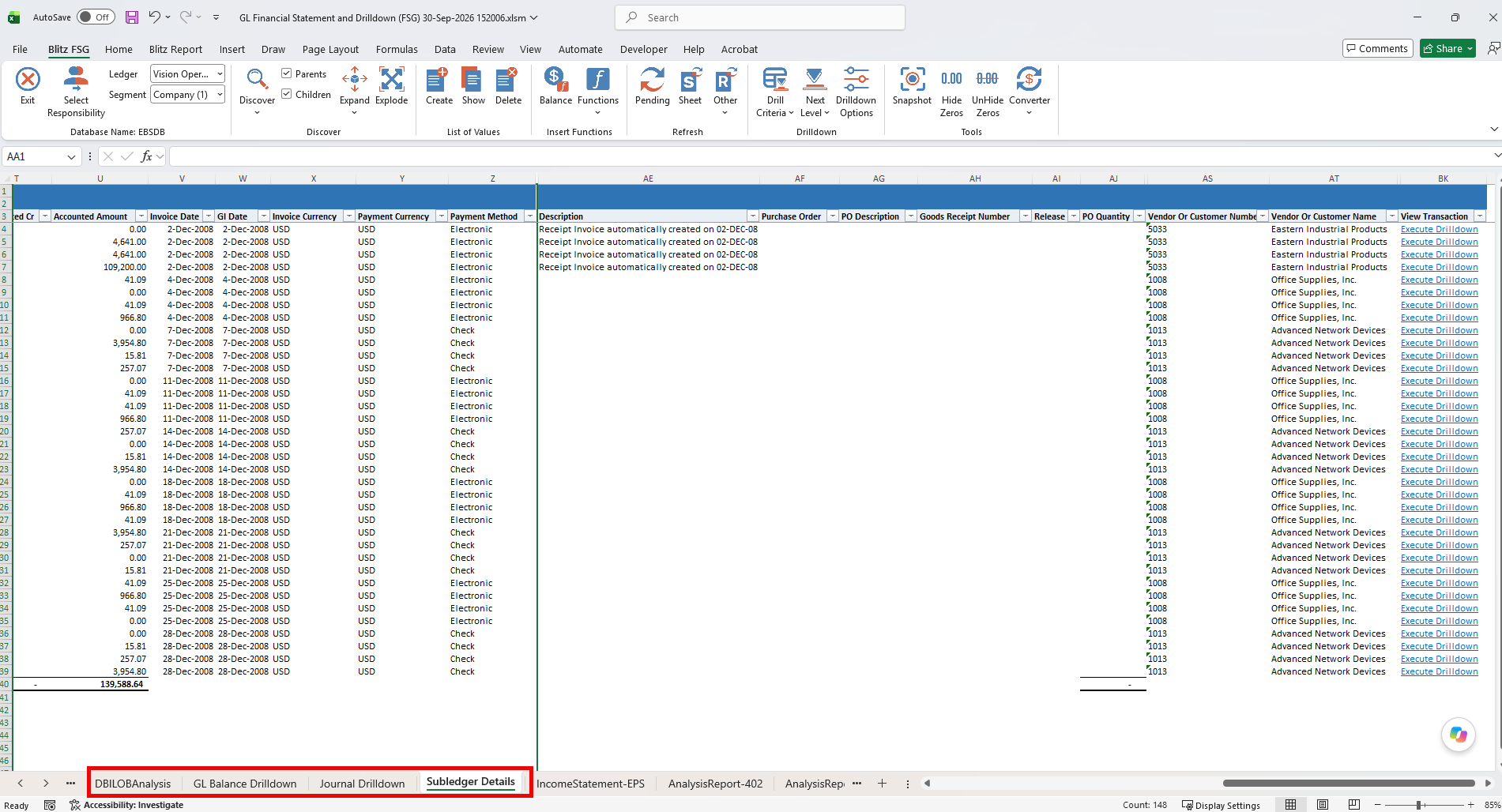
- Drilldown: from any balance to GL balances, journals, full journals, journal attachments and subledger details, and on to the transaction in its EBS form. Till Journal and Till Subledger produce every level in one action, each on its own sheet.
- EBS security: users log in with their EBS user or through single sign-on, see only the ledgers of their responsibilities, and GL segment value security applies to balances and lists of values.
- Static copies: Snapshot replaces the formulas with their values, for distribution or archiving.
- No additional infrastructure: Blitz FSG is part of Blitz Report, installed into your existing EBS instance, and runs on Release 12 and Release 11i.
- More than financial statements: the same product provides Blitz Report for operational reporting, with a library of ready-made reports, and Blitz Upload for creating and updating EBS data from Excel.
3 What the converter converts
The Oracle FSG converter reads the report definition, with its row set, column set and content set, from the EBS database and builds a worksheet that reproduces it:
- Account assignments: converted range by range, each with its own segment restrictions, sign, Debit, Credit or Net setting and Summary flag, so every row selects the same accounts as in Oracle.
- Display types: a range set to Expand becomes one row per segment value with its description, and Both adds a total row for the range. As in Oracle, each account value appears on exactly one row of the row set, the most specific assignment winning.
- Hidden rows: rows with Display Row unchecked are converted and hidden, so the calculations that refer to them still work.
- Calculations: row set calculations on sequences, sequence ranges and row names, including constants and calculations on other calculations, become Excel formulas over the corresponding rows. Change Sign rows show the same sign as in Oracle.
- Column sets: amount types, period offsets, column calculations and override segments become the header rows of the columns, with period offsets as live Period Offset formulas.
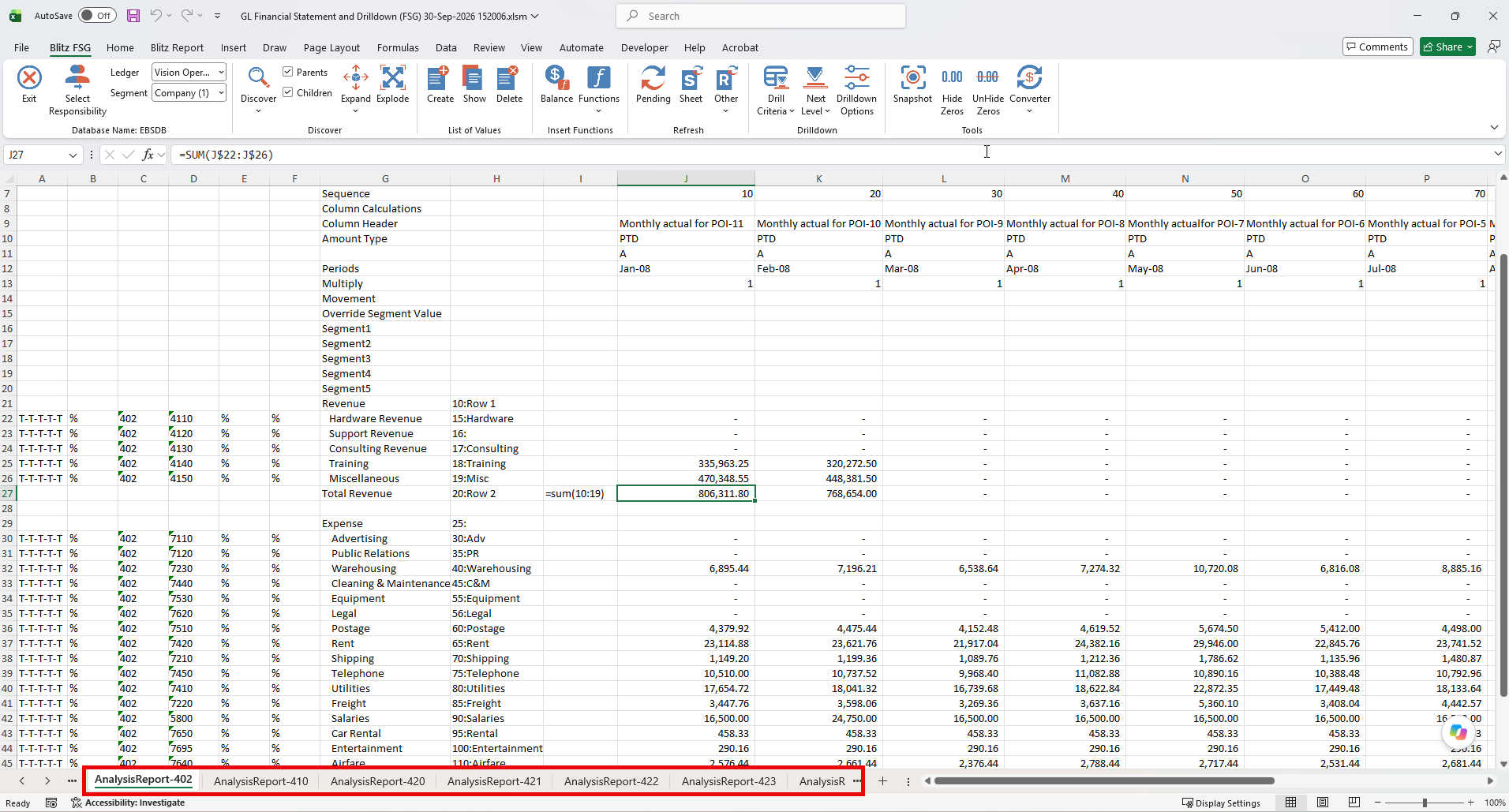
- Content sets: every report that the content set produces in Oracle becomes a worksheet of its own. A page expand over a range of departments, for example, gives one sheet per department in value order, and row overrides replace the segment value and display type of the row set.
- Report sets: select an Oracle FSG report set in the converter to convert all of its reports together.
The User Guide shows how each part of the Oracle definition maps onto the converted worksheet.
4 Migration process
4.1 Install Blitz Report
Download and install Blitz Report into your EBS environment. Blitz FSG connects Excel to EBS through web services. ORDS is the default, and the installation configures it automatically when ORDS is already deployed, see webservice connectivity. If your EBS instance uses single sign-on, also set the Blitz Report SSO Enabled profile option.
4.2 Open a Blitz FSG workbook
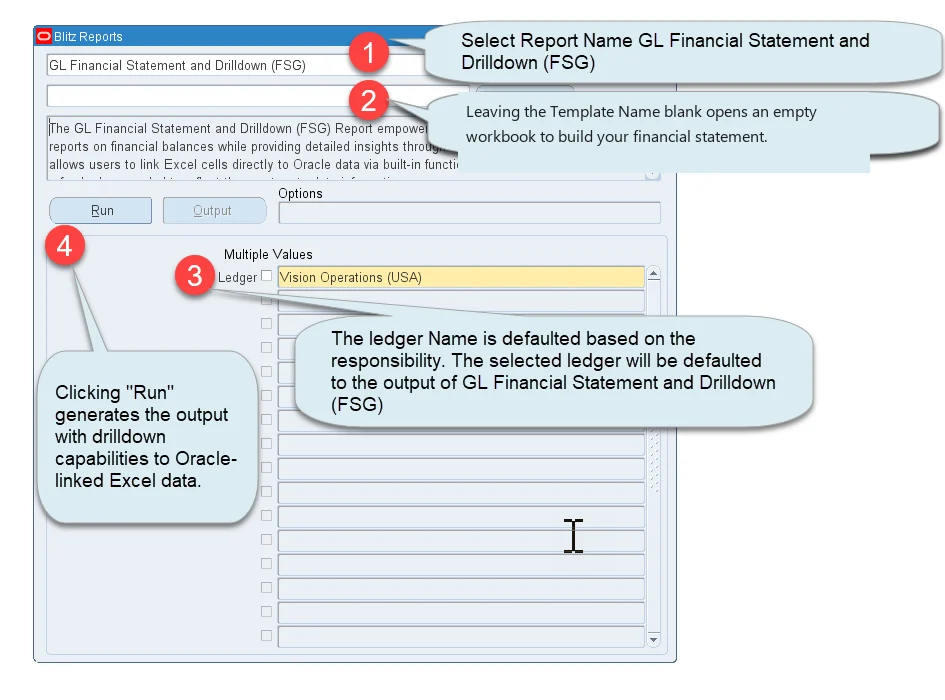
Run the GL Financial Statement and Drilldown (FSG) report from the Blitz Report form with a blank template. An empty workbook opens with the Blitz FSG ribbon, connected to EBS. Select the ledger whose FSG reports you want to convert.
4.3 Convert your FSG reports
Click Converter > Oracle FSG. The Oracle FSG Batch Converter lists the FSG reports of the ledger’s chart of accounts with their last run date, last update date and number of runs, so you can concentrate on the reports that are still in use. Search the list or select a report set, tick the reports and click Convert. Each report is converted onto its own worksheet, or one below the other with Sheet Mode Same Sheet, and a report that cannot be converted is listed with its error at the end.
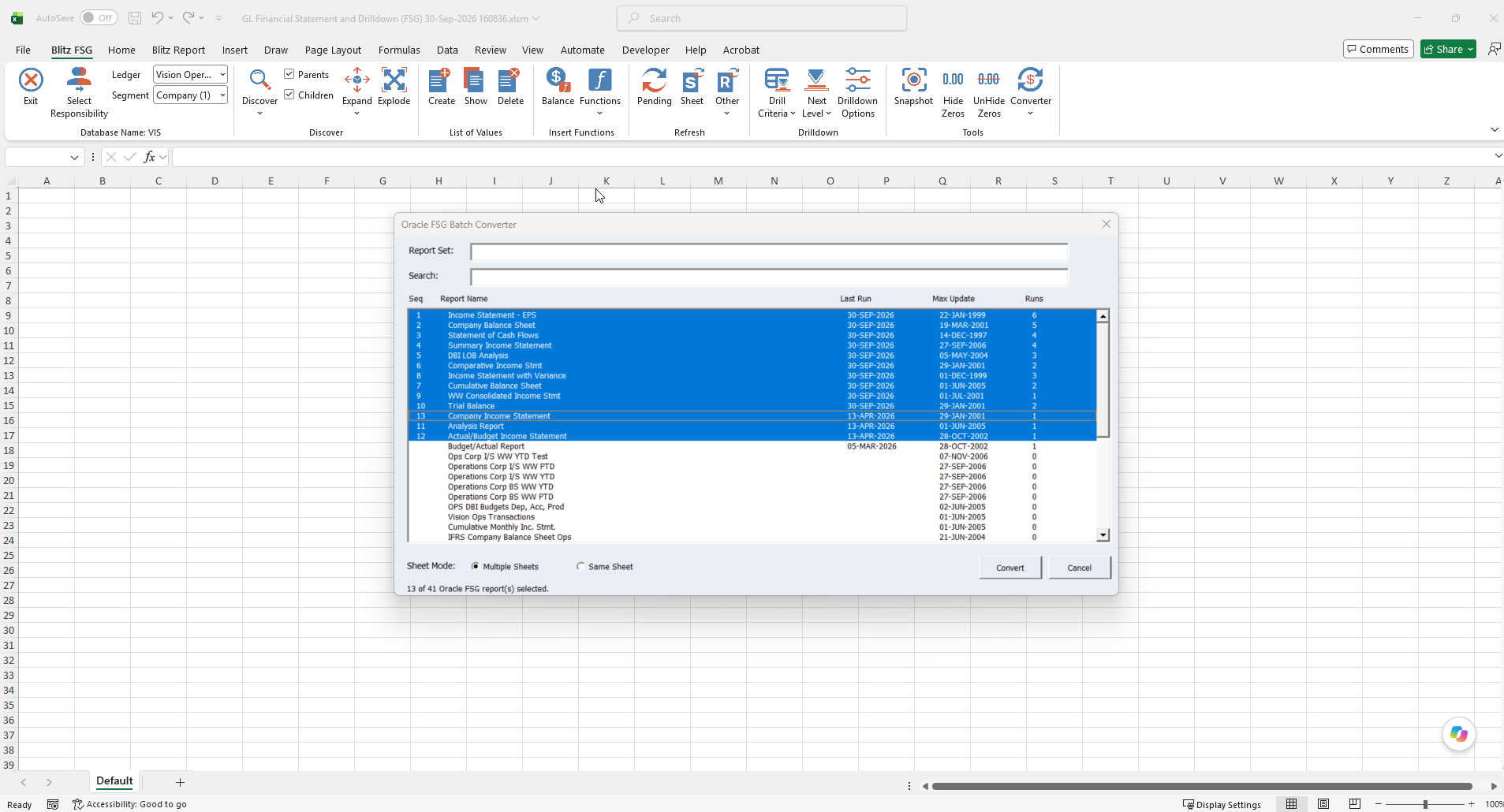
The list shows only the reports of the ledger’s chart of accounts, because a report built on another chart of accounts cannot produce valid balances for that ledger. To convert those, select a ledger of the matching chart of accounts first.
4.4 Validate the conversion
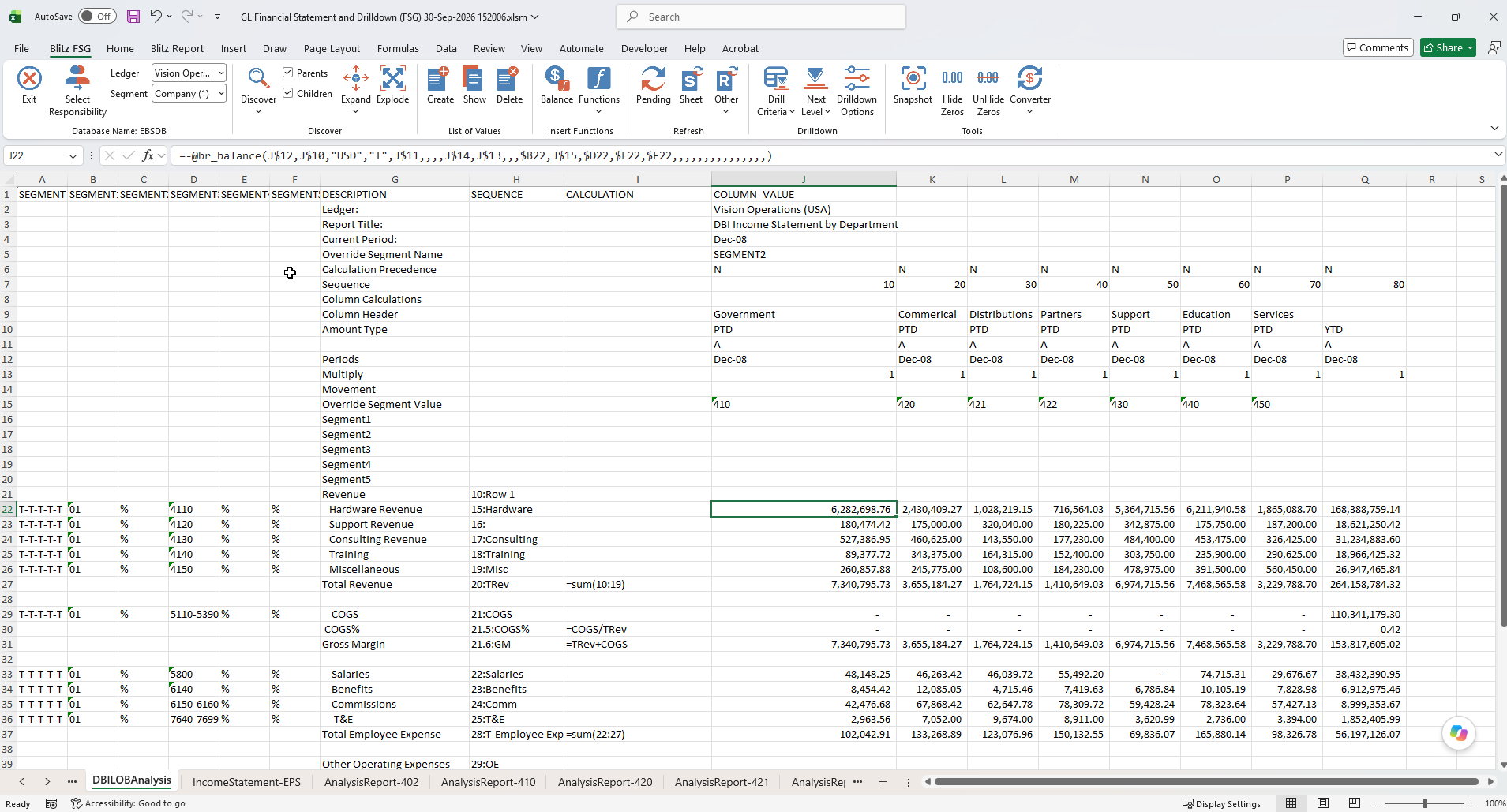
Run the original FSG report for the same ledger and period and compare the amounts. The account assignment columns to the left of each description show exactly what a row selects, and where an amount differs, a drilldown shows the accounts and journals behind it.
The converter’s rules were tied out account by account against the Oracle FSG output of customer statements, including overlapping ranges, parent values, Summary flags and Change Sign rows.
4.5 Publish the statements
Remove the helper rows and columns you no longer need and apply your formatting. Then upload the workbook as a template of the GL Financial Statement and Drilldown (FSG) report and share it with the users who need it. They run the report with the template and receive the statement connected to EBS, ready to change the period, refresh and drill down.
5 After the migration
Finance users now work with their statements where they analyse them anyway: they change the period in a cell, refresh, and drill down from any amount to the journals and subledger transactions behind it. New statements are built the same way, with the Balance function form and the Discover, Expand and Explode tools, which list segment values directly from EBS.
For a demonstration, watch the Blitz FSG video. Enginatics supports the conversion and the tie-out of your statements. Contact us to plan your Oracle FSG replacement.
6 Summary
- Download and install Blitz Report into your EBS environment
- Run GL Financial Statement and Drilldown (FSG) and convert your FSG reports with Converter > Oracle FSG
- Tie out the converted statements, upload them as templates and retire FSG
Your statements keep their account assignments, calculations and content sets, and become live Excel workbooks with drilldown to journal and subledger detail, secured by EBS and refreshed on demand.