
1 Why EIS eXpress users are looking for a replacement
2 Why Blitz Report
3 What the migration converts
4 Blitz Report license estimate
5 Migration process
5.1 Install Blitz Report
5.2 Run the EIS Import program
5.3 Import individual reports
5.4 Validate the migration
6 After the migration
7 Summary
Introduction
EIS eXpress Reporting has long been a popular way to run SQL-based reports inside Oracle E-Business Suite. Since EIS Technologies rebranded as SplashBI, its development has moved to an analytics platform that runs outside EBS. That leaves eXpress customers with a choice: start a new platform project, or find a replacement that keeps their reporting inside EBS.
Blitz Report is that replacement. It installs into your existing EBS instance, uses the same responsibilities and security, and imports your EIS report library automatically in a single concurrent request: SQL, parameters, lists of values, pivot layouts and user access. Only reports run in the last year are migrated, and every Blitz Report keeps its original EIS report ID. Validating the migration is a side-by-side comparison, not a rebuild.
At one customer, a single import run converted more than 1,200 custom EIS reports, together with over 11,000 user grants, in about 20 minutes.
1 Why EIS eXpress users are looking for a replacement
SplashBI is a separate product that runs outside of Oracle EBS, with its own infrastructure, security model and user interface, so moving to it means a new platform project rather than an upgrade.
Customers who want to keep their reporting inside EBS, with EBS security, EBS responsibilities and EBS concurrent processing, are looking for an alternative built for exactly that.
2 Why Blitz Report
Blitz Report is built for Oracle EBS users and runs entirely inside the EBS environment:
- No additional infrastructure: Blitz Report is installed into the existing EBS database and application tier. There are no additional servers, agents or cloud services.
- EBS security: reports run under the user’s own EBS responsibility, with operating unit and ledger security applied, and assignments control who sees which report.
- Excel output: reports are generated directly as Excel files, with templates for column selections, pivot tables and charts, or run straight into a worksheet with the Excel Add-in.
- Speed: Blitz Report is the fastest reporting solution for Oracle EBS, even for reports with millions of rows.
- More than reporting: Blitz Report also includes Blitz Upload, which creates and updates EBS data directly from Excel, and GL financial statements with drilldown to journal detail. Replacing EIS eXpress gives you one EBS-native product for reporting, data loads and financial reporting.
- Ready-made content: the Blitz Report library provides a large number of ready-to-use EBS reports and uploads, many of which can replace migrated reports outright.
- Actively developed: Blitz Report receives new features and content with every release, see the changelog.
3 What the migration converts
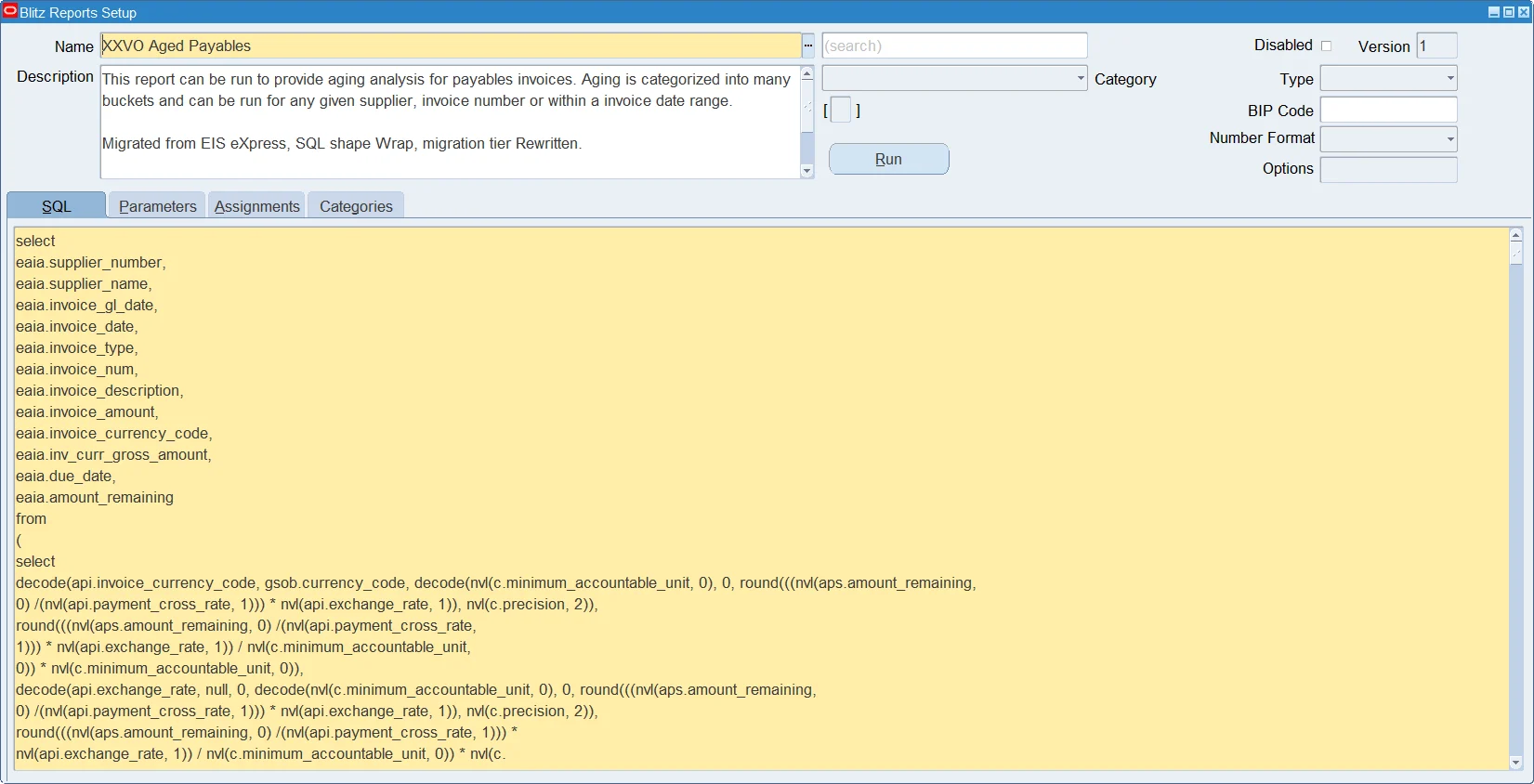
The Blitz Report EIS import reads the EIS report definitions directly from the EBS database and creates one Blitz Report per EIS report:
- SQL: the report’s SQL, SQL view or database view becomes the Blitz Report SQL, so it can be maintained directly in Blitz Report instead of in a database view.
- Parameters and lists of values: EIS parameters become Blitz Report parameters, including their lists of values and dependent lists of values.
- Layouts: EIS pivots become Blitz Report templates with Excel pivot tables, and the report’s sort order is preserved.
- Security: the EIS report grants become Blitz Report assignments, so users keep access to the reports they had.
- Report triggers: EIS before and after report logic is converted, so reports that prepare data before they run keep working.
- EIS functions: calls to EIS database functions that have a standard EBS equivalent, such as operating unit and ledger security checks or lookup translations, are replaced by the standard EBS logic.
Imported reports are placed into the category ‘EIS eXpress’ and into the category of their EBS application, and each report’s description records the original EIS report ID, so every migrated report can be traced back to its source.
4 Blitz Report license estimate
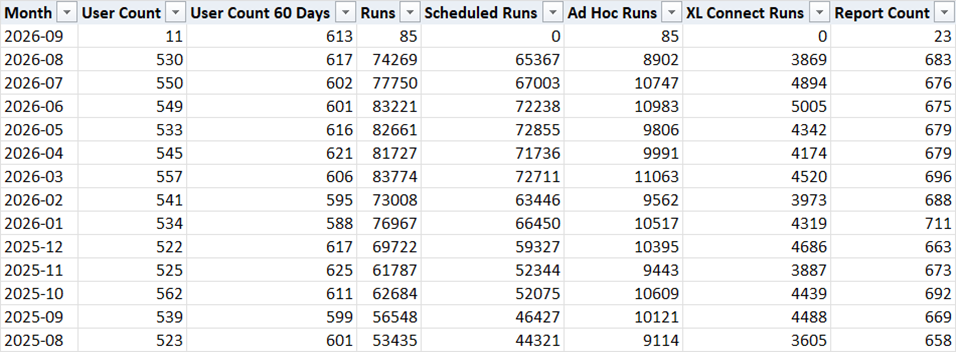
Blitz Report licensing is based on the number of distinct users that run at least one report during a rolling 60-day window. The EIS Usage Summary report reads the EIS execution history and shows the number of active users per month, so you can use it to estimate how many Blitz Report licenses are required to cover your EIS user base.
If you don’t have Blitz Report installed yet, you can instead execute the underlying script as the APPS user directly against your EBS database: EIS_Usage_Summary.sql. The user_count_60_days column shows the distinct user count for the 60 days preceding each month, with scheduled runs counted for the user who created the schedule. Take this value as your active user estimate and look up the corresponding subscription cost on our pricing page.
5 Migration process
5.1 Install Blitz Report
Download and install Blitz Report into your EBS environment. The installation detects EIS eXpress and adds the EIS import automatically.
5.2 Run the EIS Import program
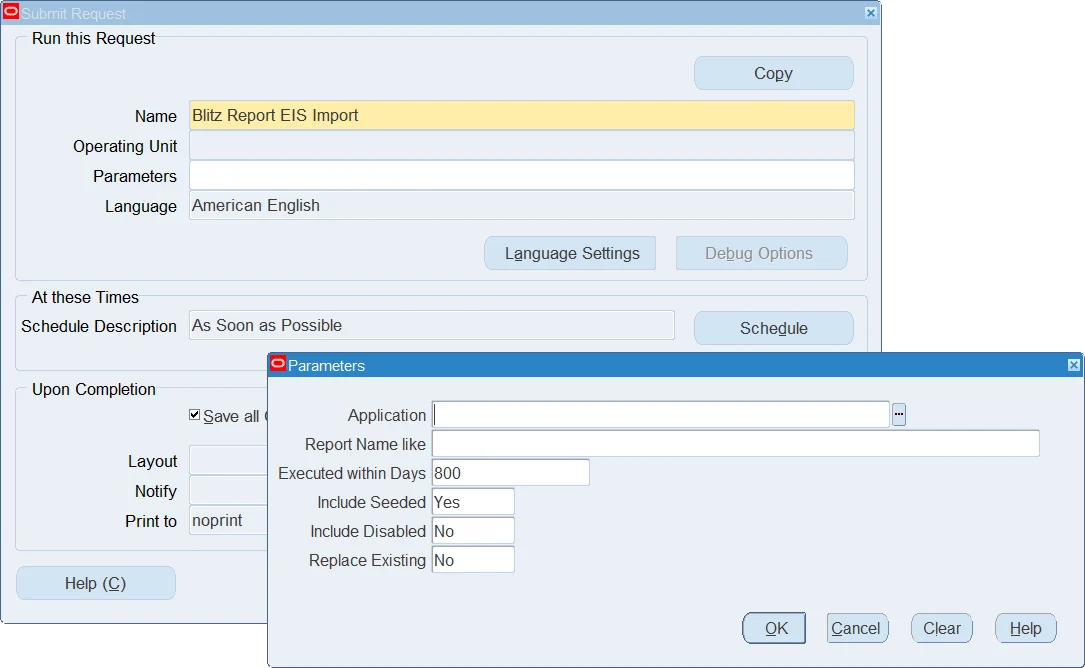
Navigate to the System Administrator responsibility and run the Blitz Report EIS Import concurrent program. By default, it imports all enabled EIS reports that were executed within the last 365 days, so reports nobody uses are not migrated. The parameters restrict the import to an EIS application or a report name pattern, change the execution history window, and control whether seeded and disabled EIS reports are included. The Developer Guide describes each parameter.
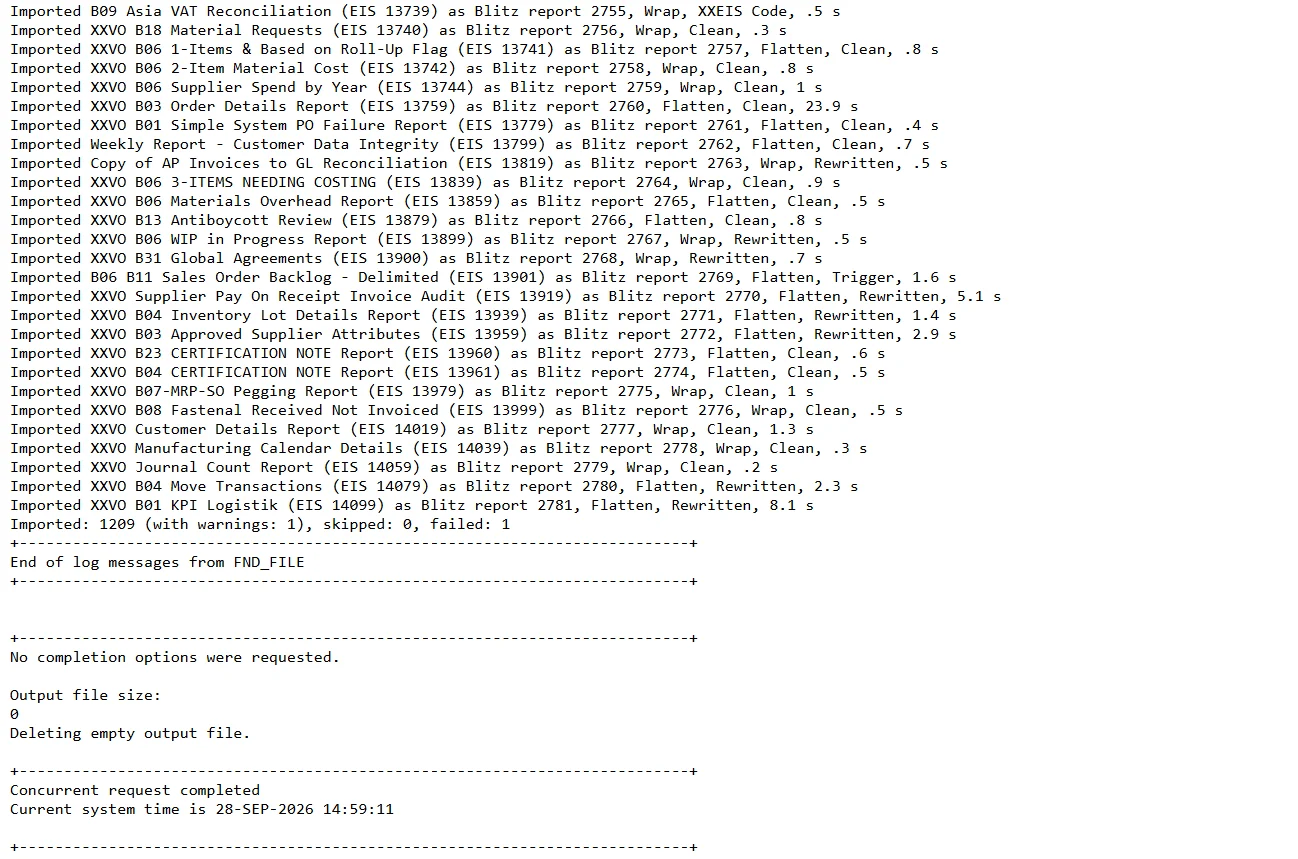
The request log lists every imported, skipped and failed report. Running the program again skips reports that were already imported, unless you set Replace Existing to Yes.
5.3 Import individual reports
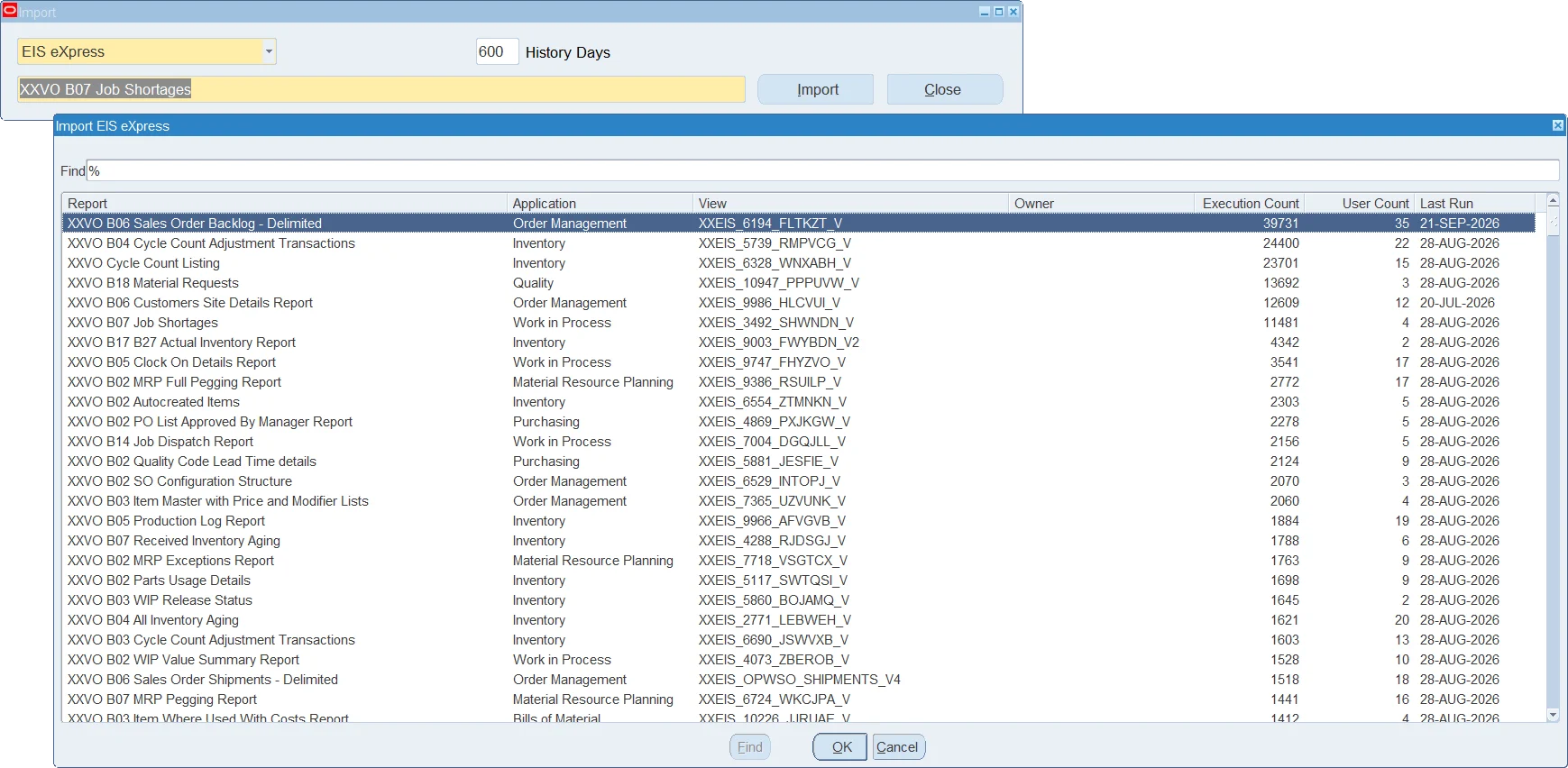
To import single reports, for example to try the migration on a few reports first, open the Blitz Report setup window, navigate to Tools > Import and select the type ‘EIS eXpress’. The list shows your EIS reports with their execution counts, number of users and last run date, most used reports first.
5.4 Validate the migration
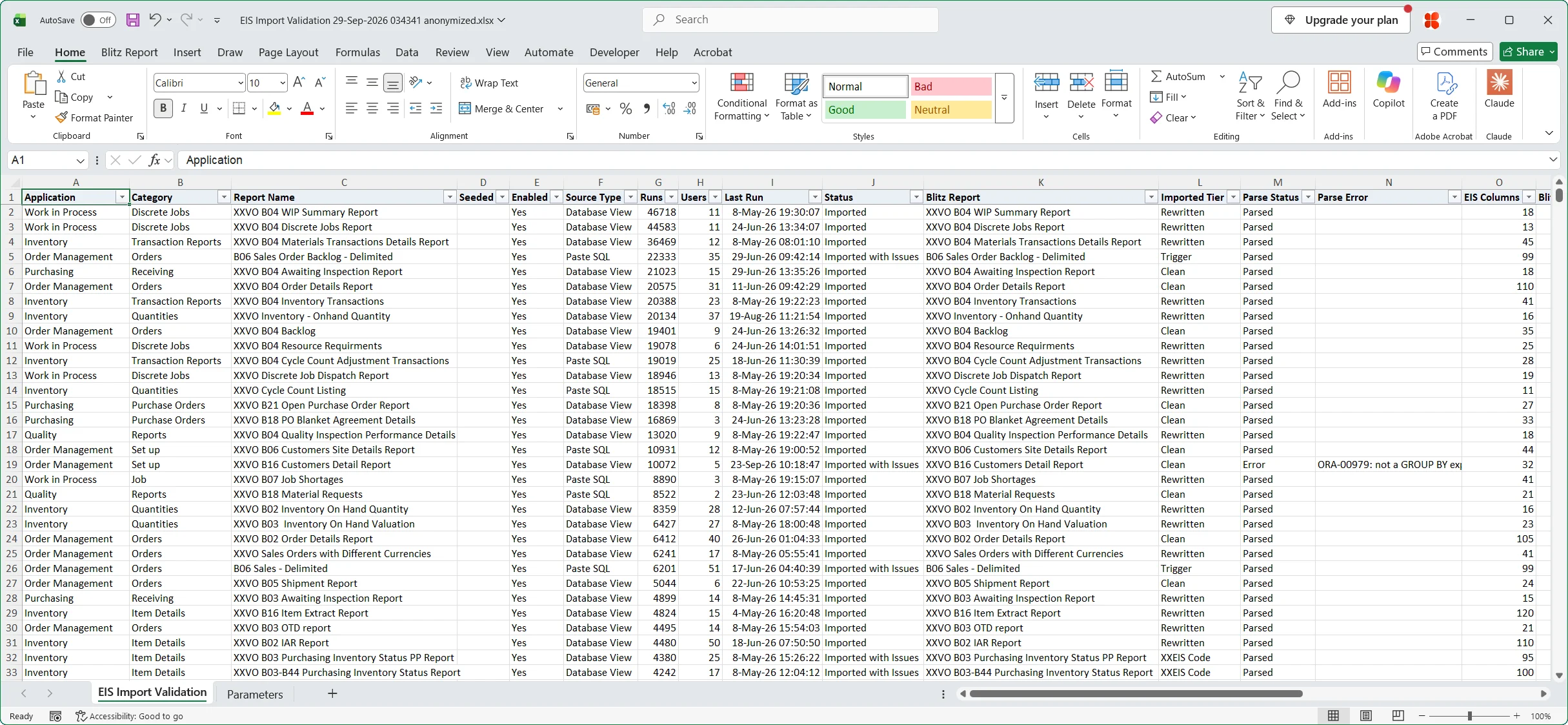
Run the migrated reports with the same parameters as in EIS eXpress and compare the results. Because every report keeps its EIS report ID in its description, each Blitz Report is easy to match with its original.
6 After the migration
Once the reports are migrated, your users run them from the Blitz Report form or directly from Excel, and your developers maintain them in one place. Before reworking a migrated report, check the Blitz Report library: a ready-made report for the same purpose may already exist and can replace it.
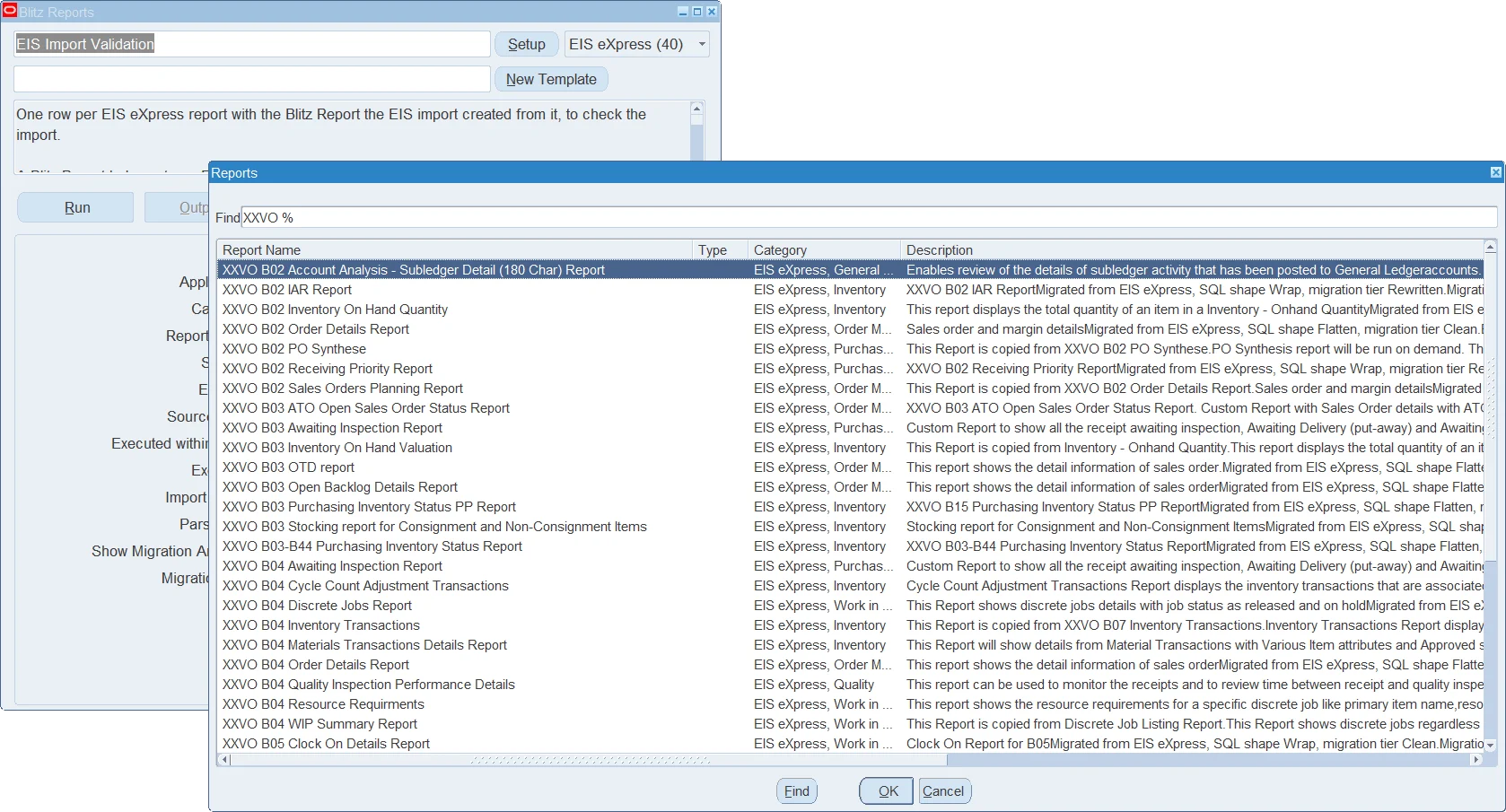
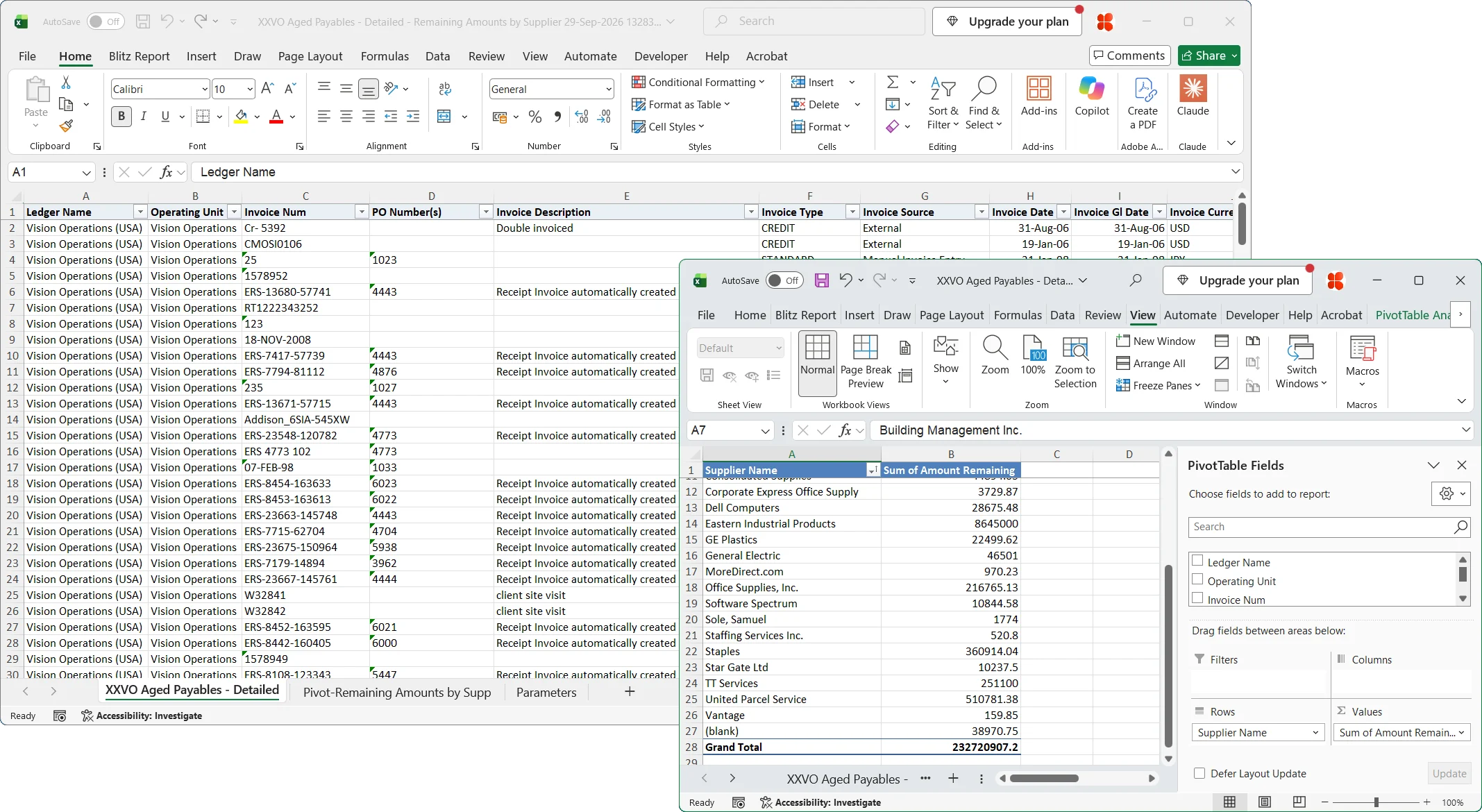
Enginatics supports the migration and the validation of your reports. Contact us to plan your EIS eXpress replacement.
7 Summary
- Download and install Blitz Report into your EBS environment
- Run the Blitz Report EIS Import concurrent program, or import individual reports through Tools > Import
- Validate the migrated reports and retire EIS eXpress
Your EIS reports keep their SQL, parameters, lists of values, layouts and security, and they run inside EBS as before, with faster Excel output, data uploads from Excel, and a product that continues to evolve.