
OPM Recipe Upload creates and updates Oracle Process Manufacturing recipes from Excel: the recipe header and its validity rules, routing step overrides, step/material associations, process loss per organization, recipe customers, and organization-specific operation and resource overrides. Each row carries a Row Type that tells the upload which part of the recipe the row defines, and the rows of one recipe are applied together.
When to use it
- Create new recipe versions in bulk on existing formulas and routings, instead of keying them in the Recipes window.
- Change recipe header details such as description, recipe type, process loss, yield or owner across many recipes.
- Add or change validity rules: use, product, standard, minimum and maximum quantity, effective dates and preference.
- Set routing step quantities and operation yields, or minimum transfer quantities and delays between steps and formula lines.
- Maintain process loss per organization, recipe customers, and organization-specific activity factors and resource usage.
Before you start
- Run Blitz Report from a responsibility with access to the process-enabled organization that owns the recipes.
- The formula, and the routing if the recipe uses one, already exist in that organization with the version you reference. The upload does not create formulas or routings.
- Steps, operation activities, resources and formula items you reference exist in the recipe’s routing, operations and formula.
Choose a template
Every template downloads the same rows; the template only decides which columns are shown. Use the template of the row type you want to work on. Recipe is the default.
| Template | Columns for Row Type |
|---|---|
| Recipe (default) | Recipe: formula and routing with versions, description, recipe type, process loss, yield, contiguous, enhanced process instructions, calculate step quantity, owner. |
| Validity Rule | Validity Rule: use, organization, product, revision, preference, quantities and UOM, start and end date, process loss and the validity rule descriptive flexfield. |
| Routing Step | Routing Step: step, operation, step quantity and operation yield. |
| Step Material | Step Material: step, material line type and item, minimum transfer quantity, minimum and maximum delay. |
| Process Loss | Process Loss: organization, process loss, fixed process loss and UOM, contiguous. |
| Customer | Customer: customer account number. |
| Org Operation | Org Operation: organization, step, operation line and activity factor. |
| Org Resource | Org Resource: organization, step, operation line, resource, usage and UOM, process quantity, minimum and maximum capacity, process parameters 1-5. |
Step 1 – Set the parameters
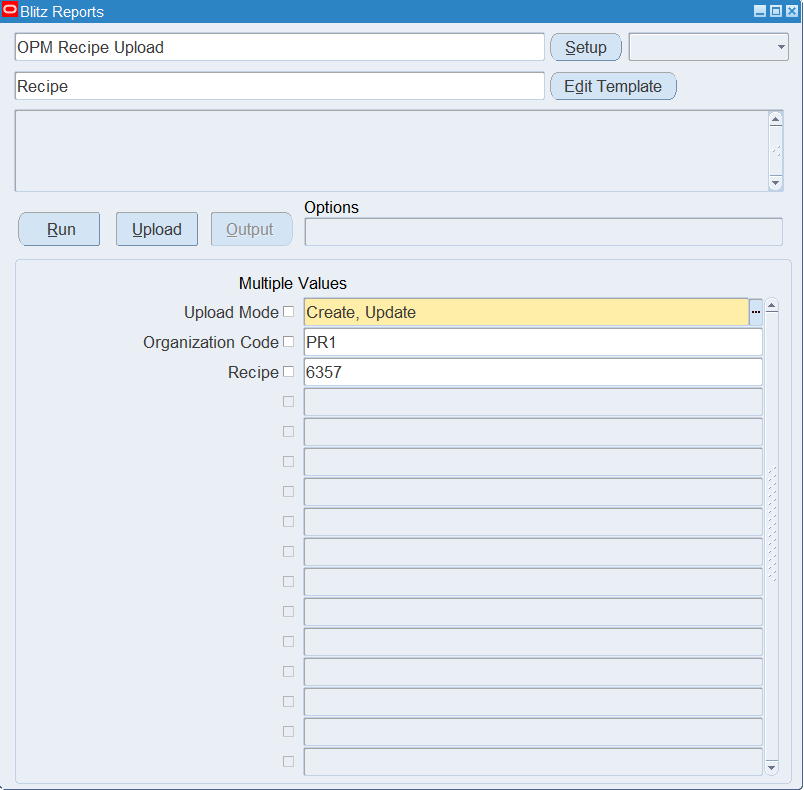
Open OPM Recipe Upload in Blitz Report, choose the template and set the parameters:
| Parameter | Meaning |
|---|---|
| Upload Mode | Create opens an empty sheet for new recipes; Create, Update downloads existing recipes for editing and lets you add new rows. |
| Organization Code | Restricts the download to recipes owned by this process-enabled organization. The list shows the process organizations your responsibility can access. |
| Recipe | Restricts the download to one recipe number (all its versions). Enter the exact recipe number. |
Step 2 – Run to download the Excel file
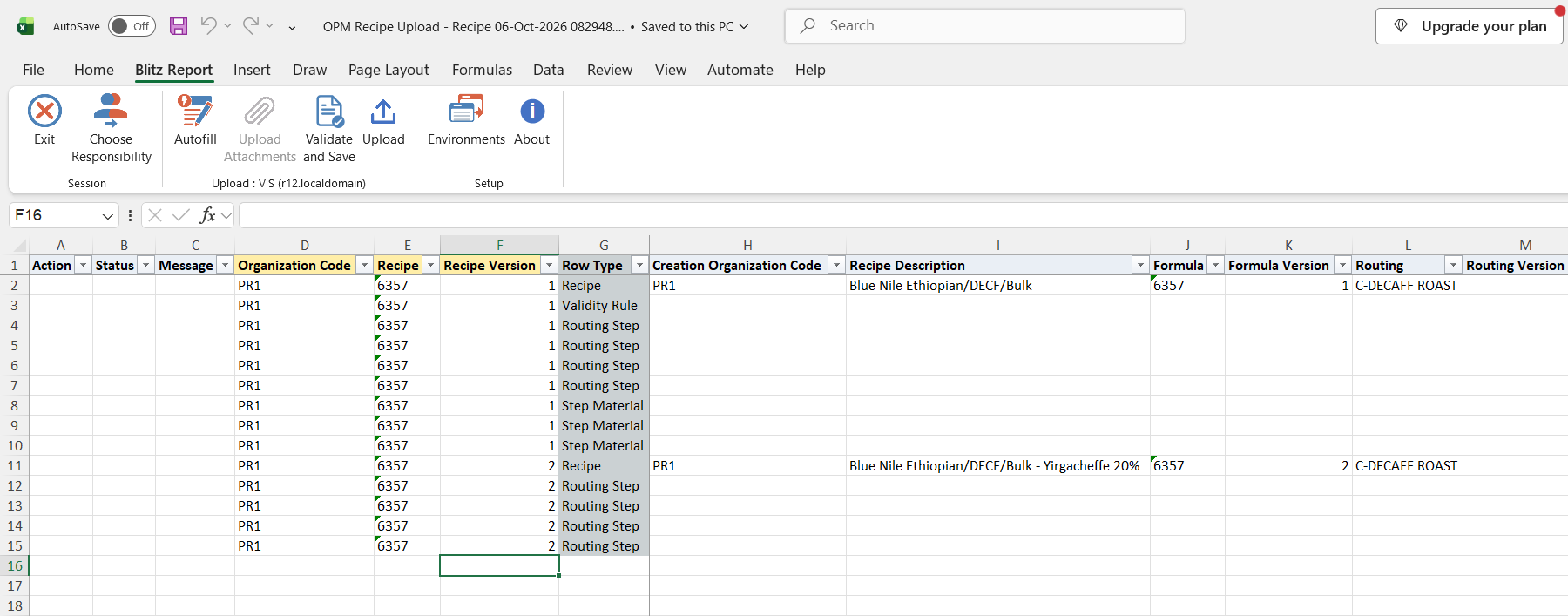
Click Run. The Excel file downloads and opens. With Create, Update each recipe version is listed as one Recipe row followed by its Validity Rule, Routing Step, Step Material, Process Loss, Customer, Org Operation and Org Resource rows.
Step 3 – Enter or change the data
Fill Organization Code, Recipe, Recipe Version and Row Type on every row; then fill only the columns of that row type.
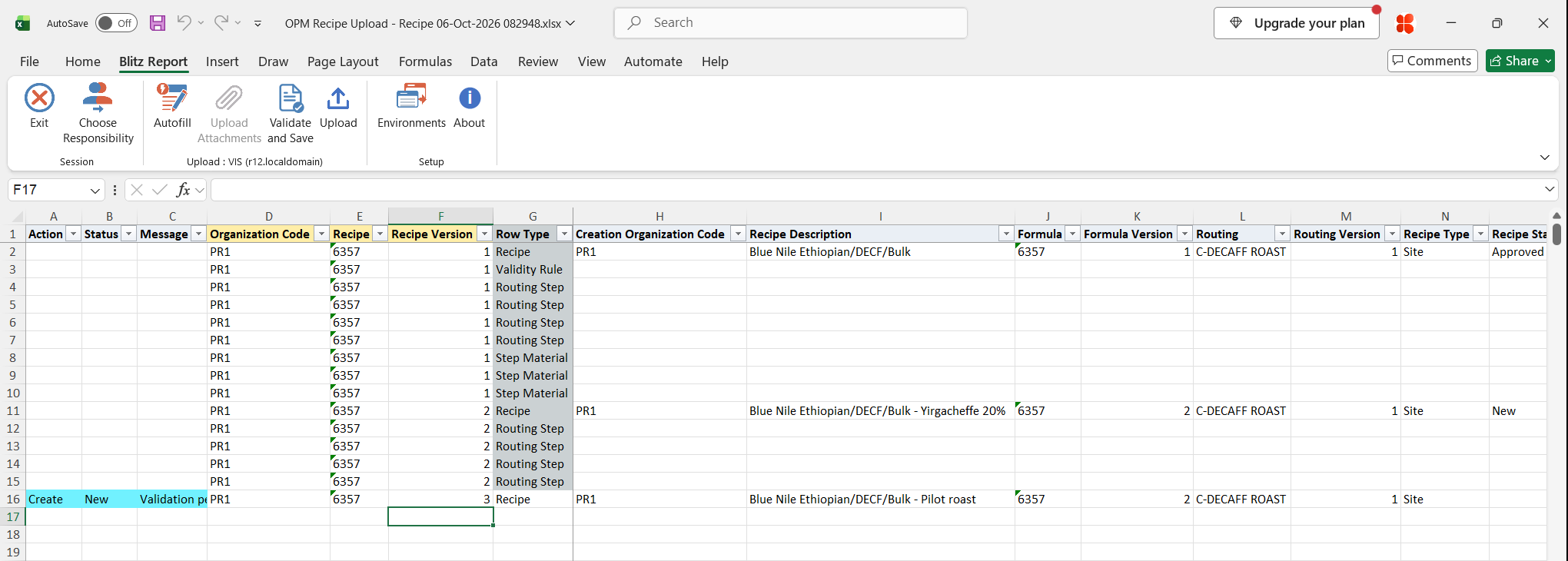
- New recipe: add a Recipe row with the new Recipe or Recipe Version, the Formula and Formula Version, optionally the Routing and Routing Version, a Recipe Description, Recipe Type (General, Site or Master) and the Owner user name. New recipes are created with status New; Recipe Status is shown for information and is not changed by the upload.
- Existing recipe: change the values in the downloaded rows. A recipe is updated when the organization, recipe and version already exist, otherwise it is created.
- Validity rules: downloaded rules are updated; rows you add create new rules. Enter Validity Rule Use (Production, Planning, Costing, Regulatory or Technical), Product, the quantities with Vr Detail UOM and the Start Date.
- Routing Step, Org Operation, Org Resource: identify the routing step by its Step number and, for org overrides, the Sub Organization Code and the Operation Line (activity).
- Step Material: enter the Step, Material Line Type (Ingredient, Product or By-Product) and Material Item of the formula line. An existing association gets its transfer quantity and delays updated, a new one is created.
- Customer: enter the customer account number.
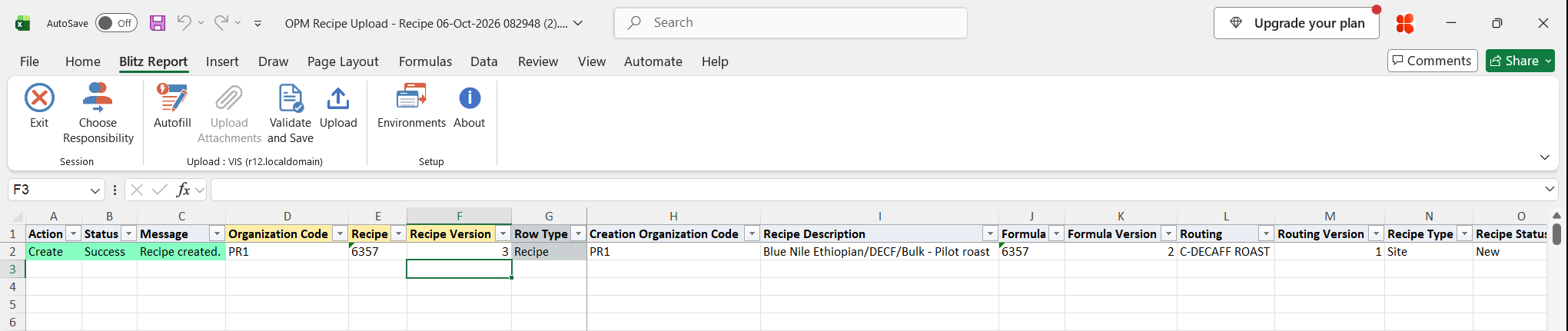
In the example a Recipe row for version 3 of recipe 6357 is added on formula 6357 version 2 and routing C-DECAFF ROAST version 1; the downloaded rows of versions 1 and 2 stay unchanged.
Step 4 – Validate and Save
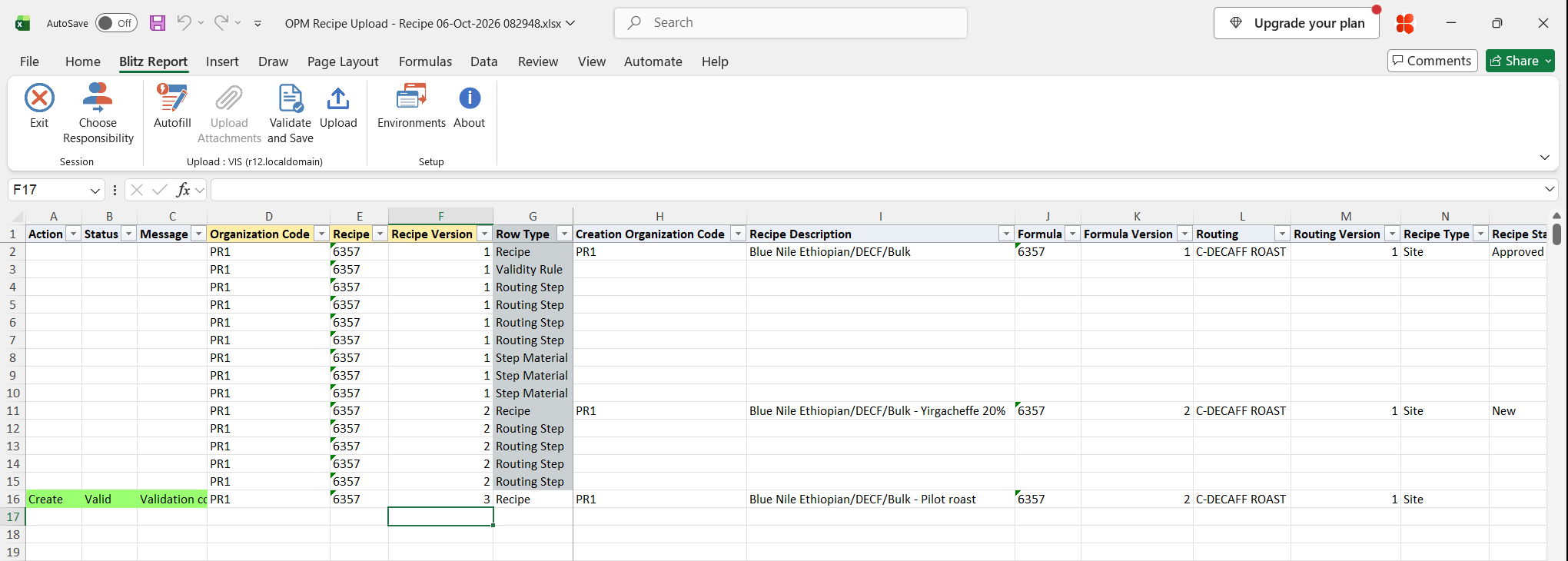
Click Validate and Save. This checks for missing required values and saves the file. Correct any rows it flags before uploading.
Step 5 – Upload the file
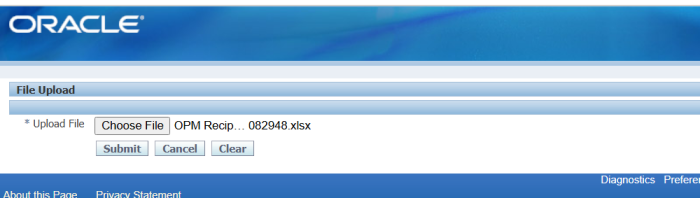
In Blitz Report click Upload and select the saved file. This submits the upload request, which processes the rows recipe by recipe: first the header, then validity rules, routing steps, step/material associations, process loss, customers, and organization operations and resources.
Step 6 – Review the result report
When the request completes, a result report opens listing every uploaded row with its status and message, such as Recipe created. or Recipe updated., and the recipe values as stored in Oracle.
What’s produced
- Recipes created or updated in Oracle Process Manufacturing, with their validity rules, step and material settings, process loss, customers and organization overrides.
- A result report listing every row with a status (success or error) and a message.
Common questions
Do I repeat the recipe key on every row?
Yes. Organization Code, Recipe and Recipe Version group the rows of one recipe, so they must be filled on every row.
What happens if one row of a recipe fails?
All rows of that recipe version are rolled back and show the same error message. Other recipes in the file are still processed.
Why does the download show rows whose columns are empty?
The download always contains all row types of a recipe; the template only shows the columns of one row type. Choose the template of the row type you want to edit.
Can I change the recipe status?
No. New recipes are created with status New and the status of existing recipes is kept. Change the status in the Oracle Recipes window.
Does the upload create formulas or routings?
No. The recipe references an existing formula and routing by number and version. Use OPM Formula Upload and OPM Routing Upload to maintain them.
Can I delete recipes or rows?
No. The upload only creates and updates.
Troubleshooting
| Message | Cause | What to do |
|---|---|---|
| Organization “<code>” is not a valid process-enabled organization. | The Organization Code is not a process-enabled inventory organization. | Use a process organization from the list. |
| Routing step “<step>” not found in the recipe routing. | The Step on a Routing Step row does not exist in the recipe’s routing. | Use a step number of the routing linked to the recipe. |
| Step/material association: step “<step>” or item “<item>” not found in the recipe. | The step is not in the routing, or the item with that Material Line Type is not a line of the recipe’s formula. | Check the Step, Material Line Type and Material Item against the routing and formula. |
| Org operation: step “<step>” or operation line “<activity>” not found in the recipe. | The step or the activity of its operation does not exist. | Use a routing step and an activity of that step’s operation. |
| Org resource: step “<step>” or operation line “<activity>” not found in the recipe. | The step or the activity of its operation does not exist. | Use a routing step and an activity of that step’s operation. |
| Customer “<number>” not found. | No customer account has this account number. | Enter an existing customer account number. |
| ORA-20001: Version 2 … is higher than version 1 of the calling API. | Updating the header of an existing recipe (for example its description) fails on Oracle EBS 12.1.3. | Add a new recipe version with the changed values, or change the header in the Oracle Recipes window. |
| Recipe attributes: … / Validity rule attributes: … | A descriptive flexfield value failed validation. | Correct the attribute values for the chosen context. |