Home › Discussions › Questions & Answers › Blitz Reporting upload feature and template questions

Blitz Reporting upload feature and template questions

Avatar photoCustomer Questions & Answers 3 replies

Good morning,

Andy, we are in the process of testing the Blitz Reporting upload feature offered within the Enginatics product.

A couple of questions regarding the upload process.

  1. Can we use the existing template multiple times to upload values, or will a new template have to be created for each upload? (For example, I have created a template and saved it. Can it then be repopulated with existing values or even have additional values appended to the spreadsheet?)
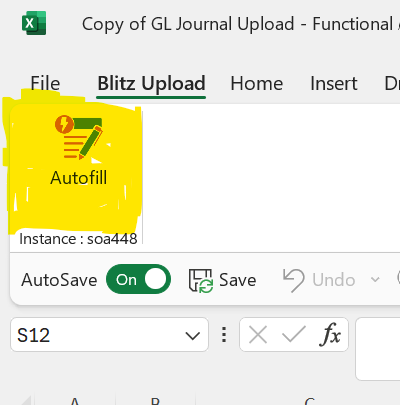
  2. Can you explain how to use the Autofill button at the top of the template?  (When you click on the button there is no change in the immediate spreadsheet)
Please advise and thank you in advance.


3 replies

  • Support Enginatics

    Hi,

    I’m not sure if I fully understood your first question, but I think the answer is yes, you can re-use an existing file that you have previously saved on your computer for multiple uploads.
    The upload code identifies the created or changed rows based on the first Action column in the spreadsheet, which needs to show either Create or Update for the records to be processed.

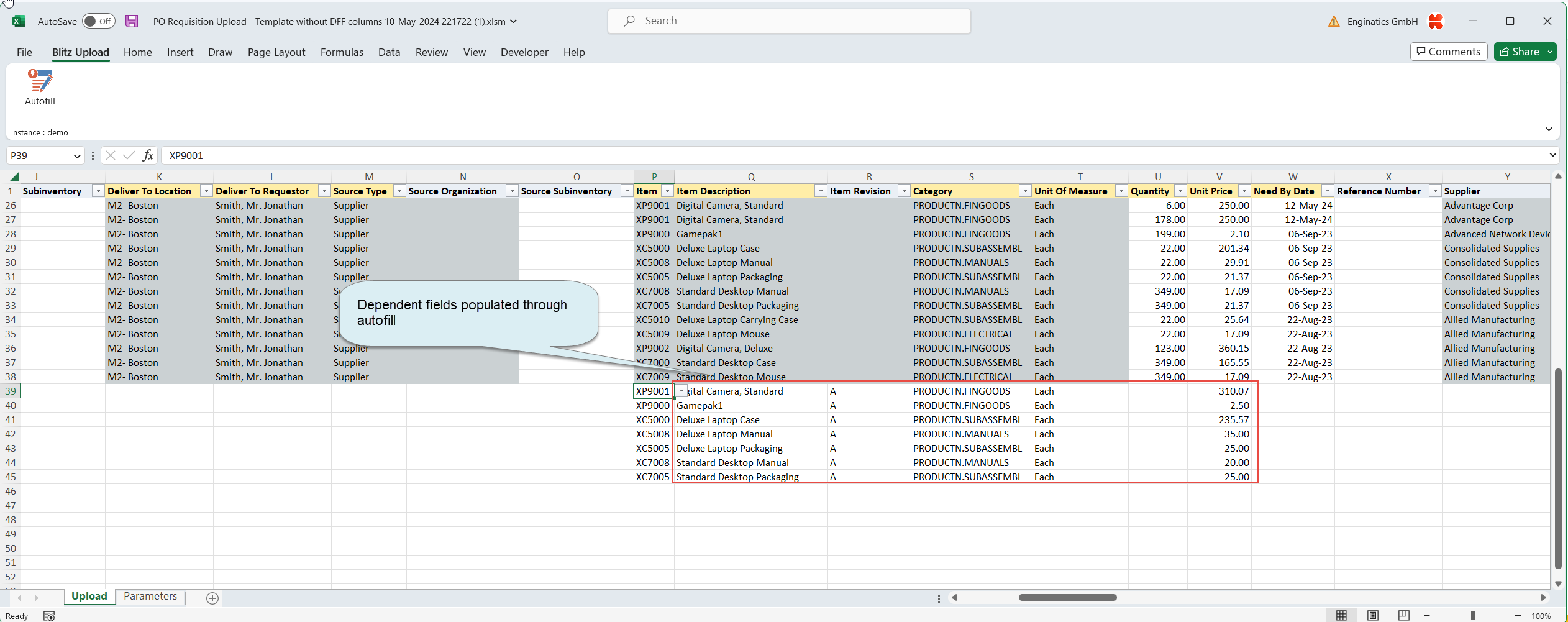
    And the Autofill button would trigger the dependency validation and population for all rows, even after copying and pasting records. Such validations would usually only be executed when entering a single record manually.
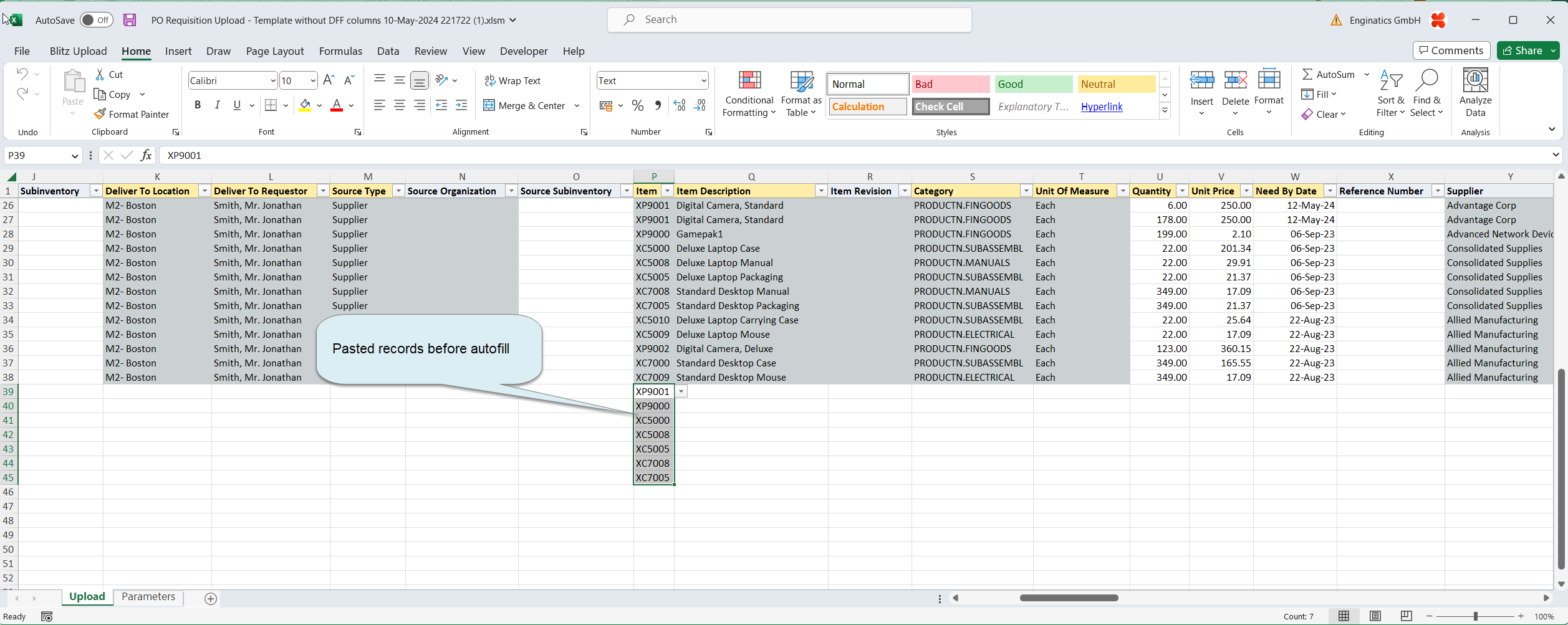
    If you do a PO Requisition creation, for example, you could copy and paste a list of inventory item numbers into the Item field and click on the Autofill button to populate the dependent fields

    Let me know if you would like to schedule a quick call to review the functionality together.

    Regards,
    Andy

  • Hi Andy,

    I would like to revisit the topic of being able to utilize GL Journal Upload multiple times over the course of a year.

    Typically, a user will download the template once and create the appropriate lines to correspond to the accounts that they want to create for the manual journal entry. The following month they will go to the previous month’s file that was uploaded, change the accounting period to the next period, change the dollar amounts and the upload the file again.

    I am not having any success with the GL Journal Upload process trying to utilize the same downloaded file for uploading multiple times.

    Let me know if you have any time to schedule a quick call to see what I might be doing wrong.

    Thanks

  • Support Enginatics

    Hi,

    As we found out yesterday, the Period Name LOV was blank, as you did not have a connection when re-opening the Excel from your file system.
    We are also investigating how we could integrate with SSO solutions to provide an automated log-in, but this will take more time.

    See you soon in Las Vegas!
    Andy

  • You must be logged in to reply to this post.