
Blitz Report™ for Oracle Database
Run, schedule and develop SQL reports in a browser and get perfectly formatted Excel output, on any Oracle database and on Oracle Fusion Cloud.
- Runs in your own APEX workspace, on Oracle Database 19c or higher
- Excel, CSV, TSV and PDF output, in the browser and in Excel
- The same report engine as Blitz Report for Oracle EBS
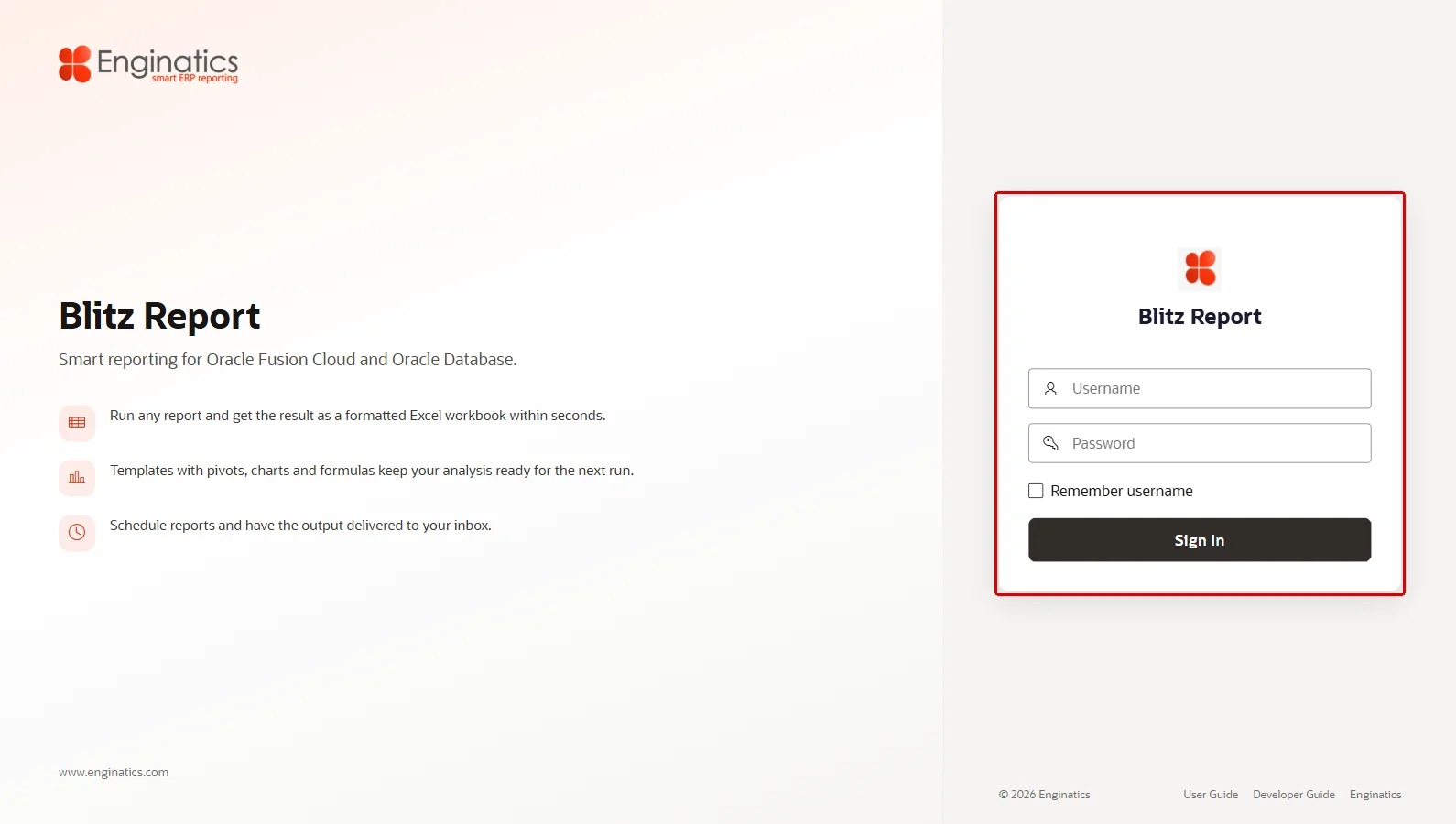
Blitz Report for Oracle Database: no Oracle E-Business Suite needed
Inside Blitz Report for Oracle Database
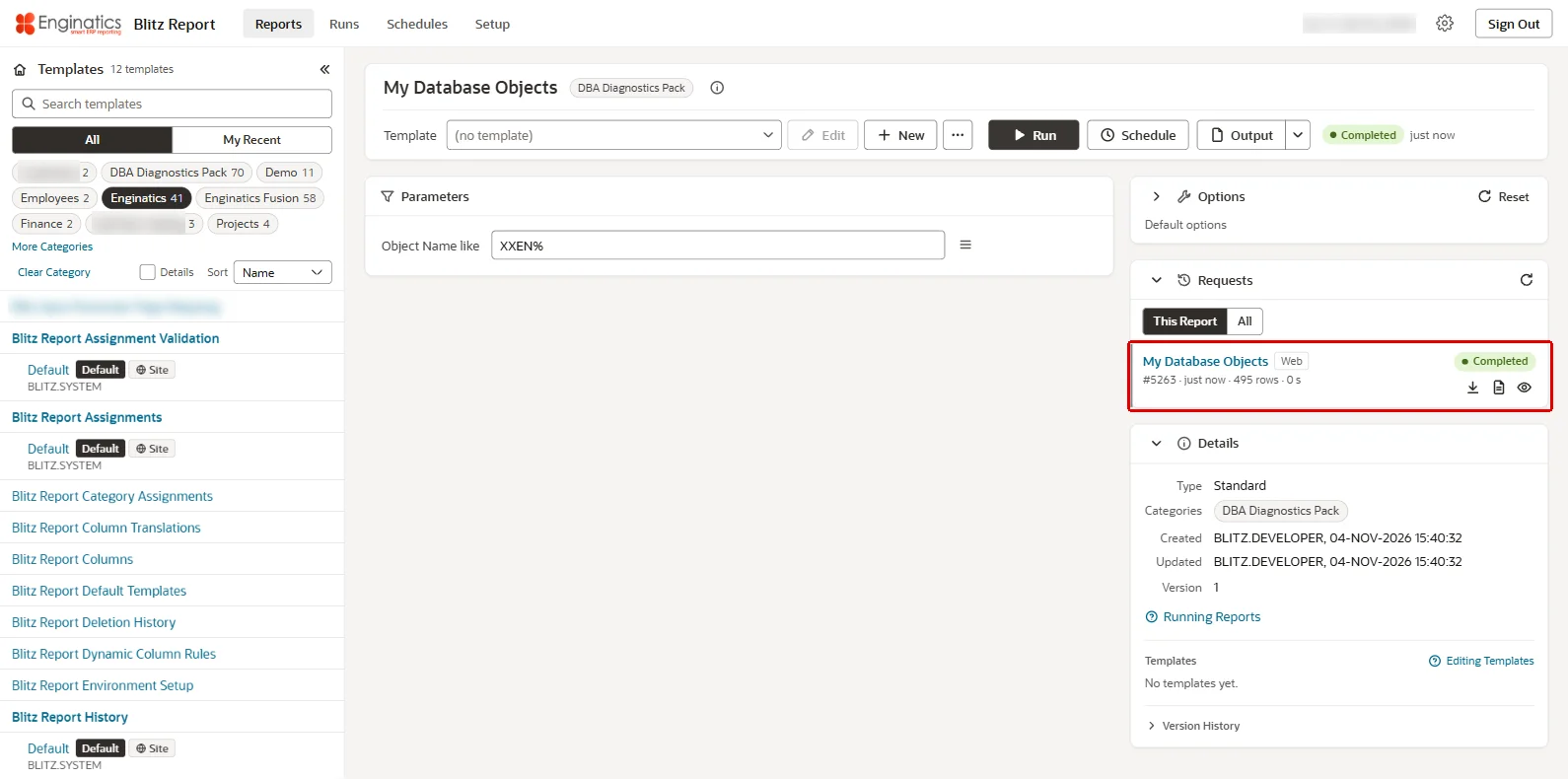
Find and run reports in seconds
The Reports page lists the reports you can run, with search, categories and your recent reports. Enter the parameters, run, and the output downloads when the run completes. Every report, run and schedule has its own address, so it can be bookmarked.
- Background runs as database scheduler jobs, so the browser stays free
- Run history with the output, log and parameter values of every run
- Rerun or cancel a run from the Runs page
- Online viewer for the workbook before downloading
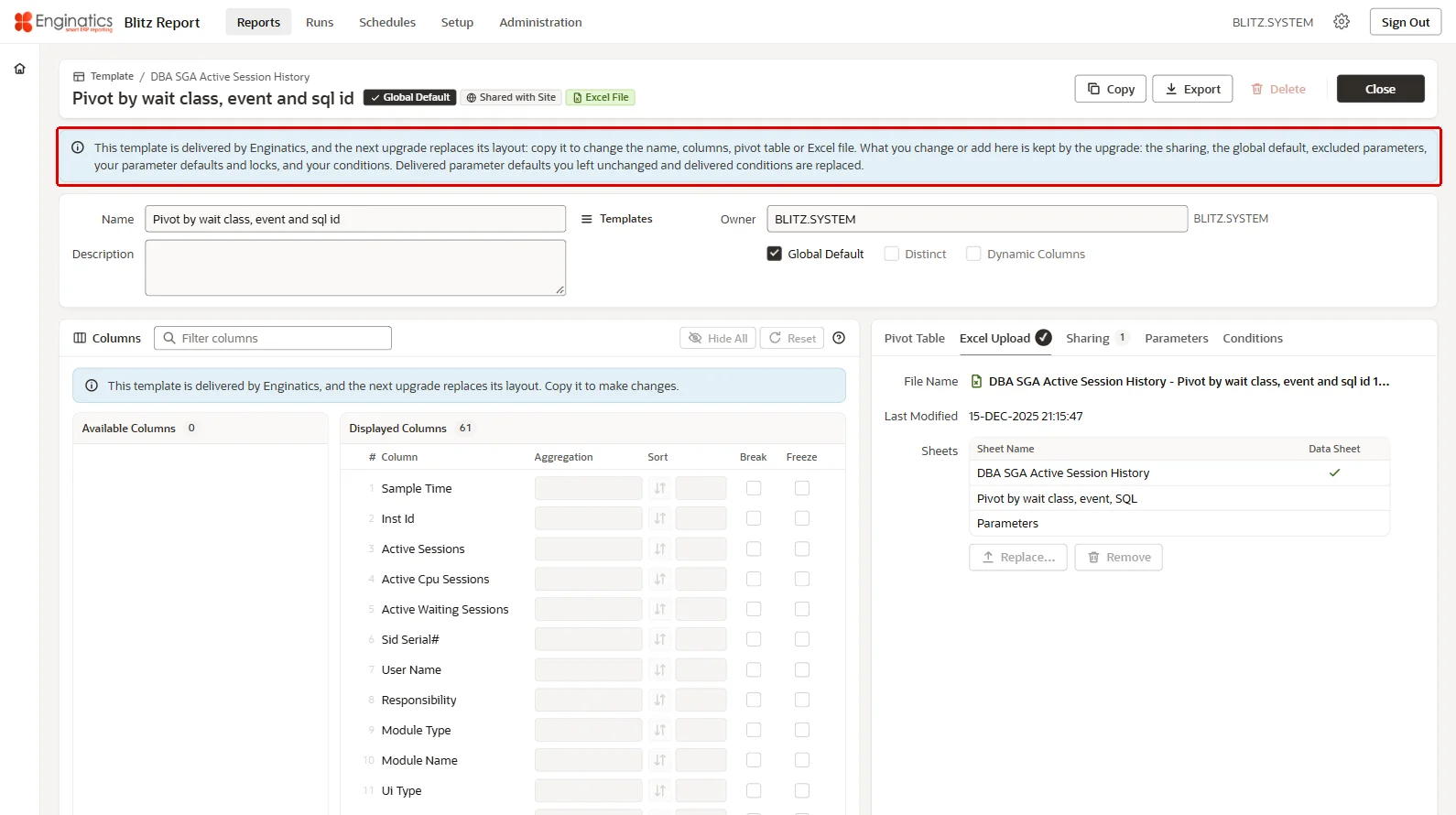
User configurable layouts
Templates choose the columns, the level of reporting (detail or summarized), aggregations and pivot tables of the output. Users build them in the template editor without changing the report, and share them with others. The editor has a columns board and tabs for the pivot table, the Excel file, sharing, parameters and conditions.
- Select, summarize, sort and pivot the columns of a report
- Your own Excel file as the layout, with its formatting and pivot tables
- Conditions and parameter defaults per template
- Sharing with other users, or a global default for everyone
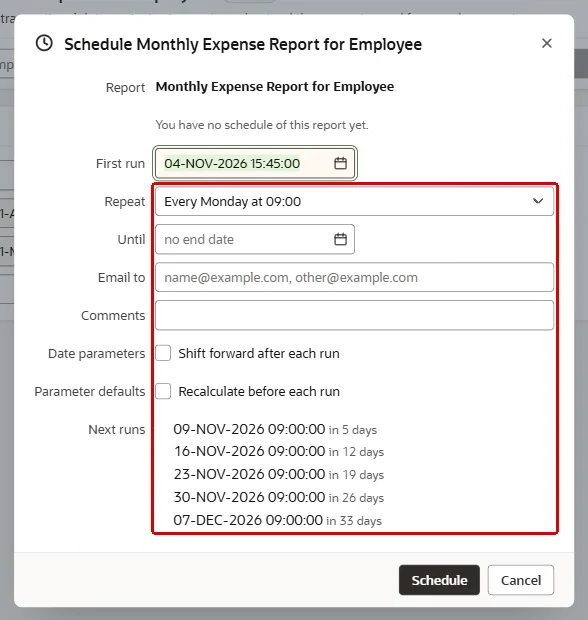
Schedule and e-mail
Schedule a report with a preset or a calendar expression and have the output e-mailed to its recipients, through the mail server your administrator configured. A schedule keeps its parameter values and its own recipients.
- Every scheduled run in the run history, with its output and log
- Calendar syntax with examples for any interval
- Server copy of the output in a database directory when needed
- No empty e-mails: a run without data sends no output
Reporting on Oracle Fusion Cloud
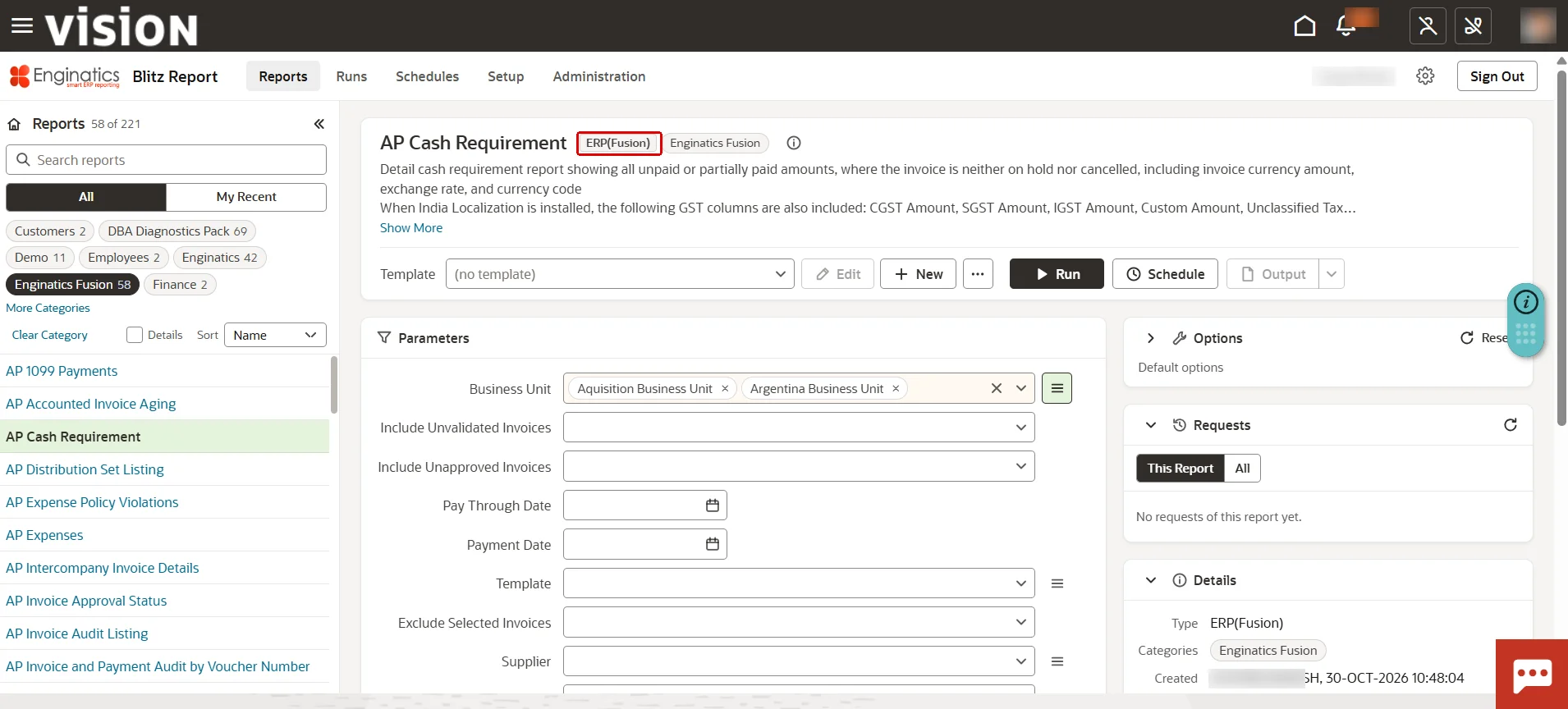
Fusion users open Blitz Report from Fusion and run SQL reports on Fusion data, formatted in Excel like any other report. The rows come back to the database and use the same templates, schedules and run history.
- Sign-in through Fusion, no second account
- Fusion data security: BI Publisher runs the SQL as the signed-in Fusion user
- Opens inside Fusion from a navigator entry
- Scheduled Fusion reports e-mailed like any other report
Run reports from Excel
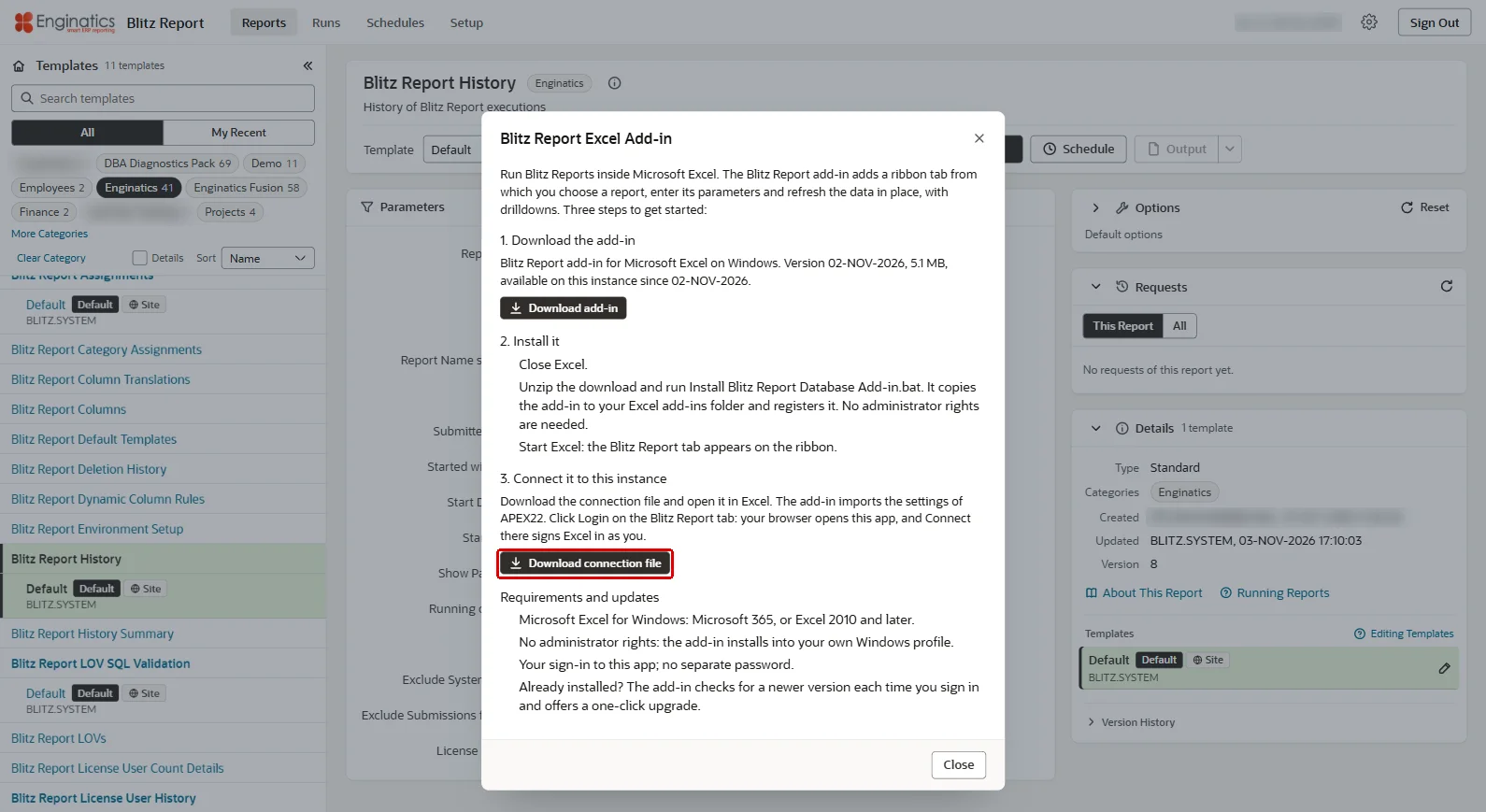
The Excel add-ins add a Blitz Report tab to Excel, from which users choose a report, enter its parameters and refresh the data in place. They connect through Oracle REST Data Services (ORDS).
- Database and Cloud add-ins for standalone and Oracle Fusion installations
- Download and install from the application, no administrator rights needed
- Connection file from the application connects Excel to your instance
- Sign-in through the browser, no separate password
- Runs from Excel listed on the Runs page with the web runs
Quickest report creation with SQL only
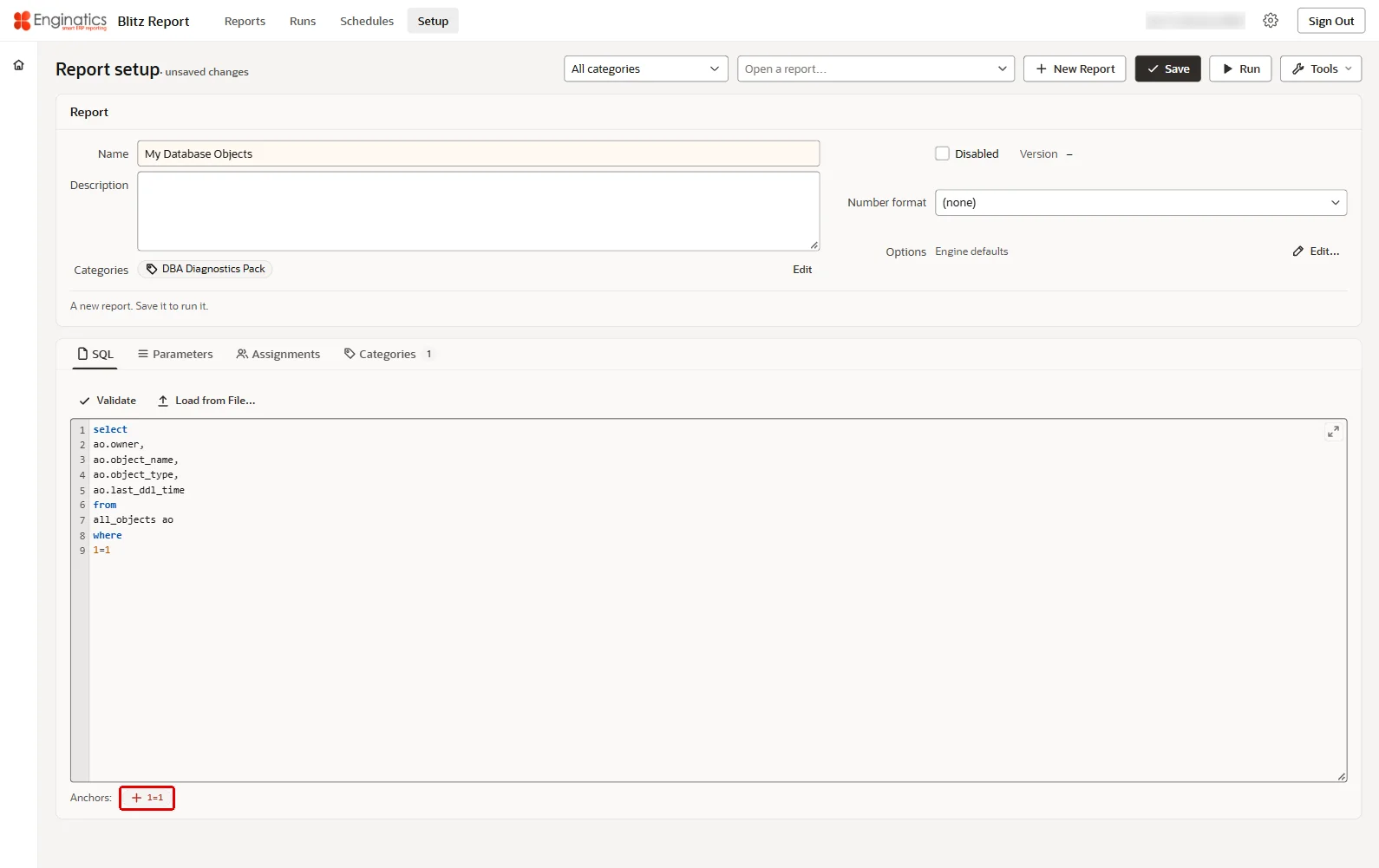
A report is a SQL query plus parameters, lists of values and templates. The engine is the same as in Blitz Report for Oracle EBS, and reports move between the editions as XML files. Below the SQL editor, every bind, lexical and n=n anchor of the SQL is listed, and a click adds its parameter.
- Validate parses the SQL with the report engine before saving
- Version history of every SQL change
- Assignments decide who can run each report
- Mass change replaces a text in the SQL and lists of values of many reports at once
- Import and export between instances
Implementing Blitz Report for Oracle Database
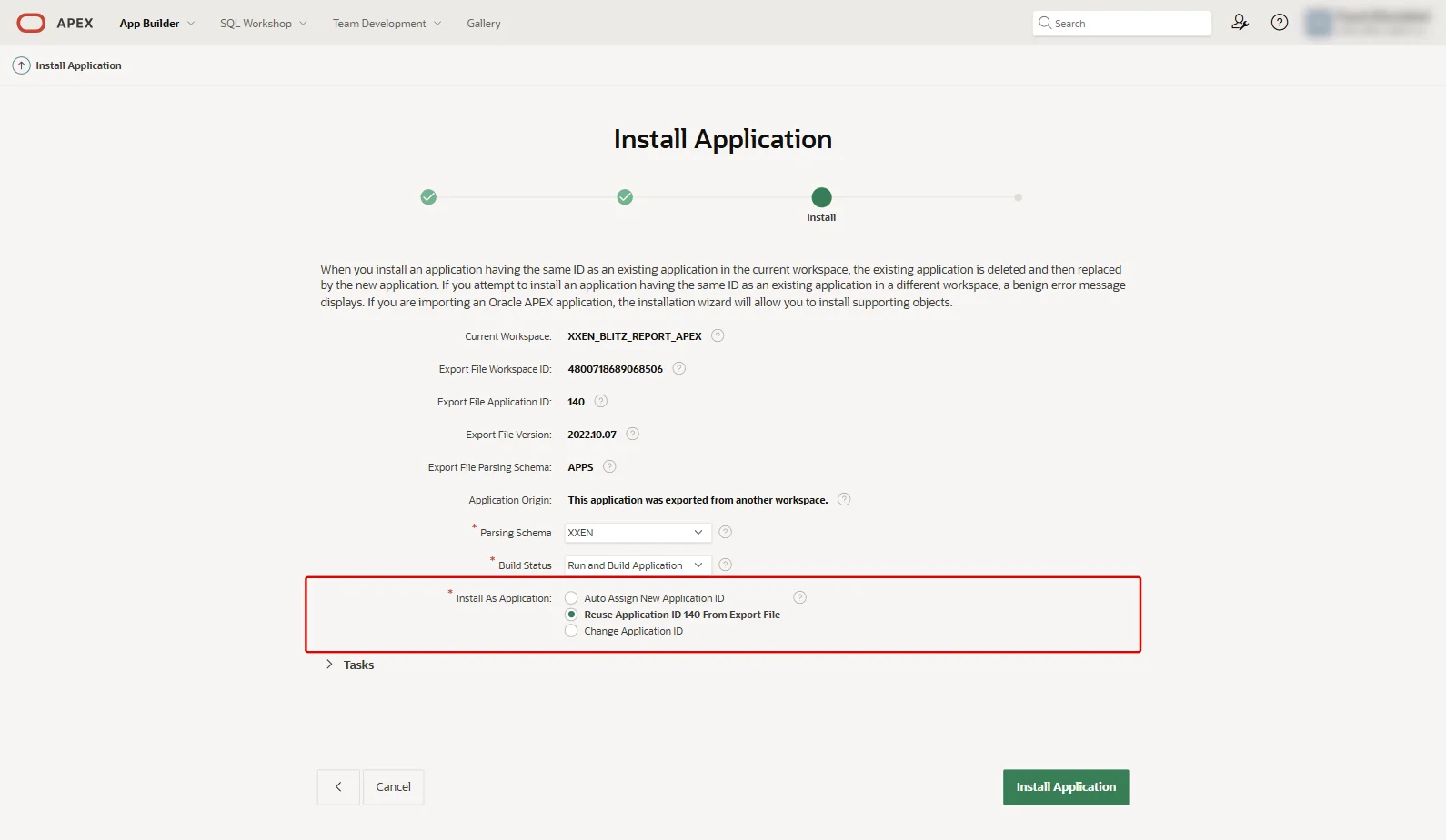
Blitz Report runs inside the Oracle database and the APEX instance you already operate. A workspace administrator imports it in the App Builder, or a DBA runs the command-line installer: both give the same result.
- Installs into your existing database and APEX instance
- App Builder import or command-line installer
- Validations check the database before anything is installed
- No application server, service or client software
- Trial license for 10 users included
Already on the classic Blitz Report application 131? Follow Upgrading from the classic application.
Blitz Report for Oracle Database FAQ
Do I need Oracle E-Business Suite?
No. Blitz Report for Oracle Database runs on an Oracle database without Oracle E-Business Suite, with or without Oracle Fusion Cloud. For Oracle EBS, use Blitz Report for Oracle EBS.
What does it need?
Oracle Database 19c or higher and Oracle APEX 22.2.3 or higher, served through Oracle REST Data Services (ORDS). Users need a current browser.
Can I reuse reports from Blitz Report for Oracle EBS?
Yes. The report engine is the same: SQL, parameters, lists of values and templates work in the same way, and reports move between the two editions as XML files.
How do users sign in?
With an Oracle APEX account or a database account; Oracle Fusion users sign in through Fusion. Their Blitz Report access level decides what they may do.