
Blitz Report™ Training
Learn how to use Blitz Report by following our YouTube training videos.
Start with the 20-minute overview, then follow the learning path for your role: watch, go deeper into the guides, reports and AI skills, practice in your own EBS and share the path with your colleagues. Every video is also available in Spanish, Portuguese, French, Japanese, Arabic, Chinese, Dutch, Hindi, Indonesian, Korean and Turkish.

Your training in four steps
More than videos: practise in your own EBS, let AI do the work with you, then bring your team along. Your progress is kept in this browser.
- 8 videos Watch your learning path Short videos by role, in 12 languages, each with the guide sections, reports and AI skills to go deeper. Start watching
- 15 exercises Practice in your EBS Hands-on exercises with real reports and uploads: run, schedule, upload and build in your own system. Try an exercise
- 14 prompts Learn faster with AI Ask Claude or Microsoft 365 Copilot in Excel to find, run and analyze reports, or Claude Code to build them. Copy a prompt
- Share with your team Send colleagues the path for their role by Teams, e-mail or link: it opens with their path selected. Send a path
Learning paths
Choose your role. Videos you play are ticked off in this browser, so you can pick up where you left off.
Path complete. Next: find your reports in the library or build your own with the developer guide.
 21:53
21:53 1. Blitz Report installation
The installation process for Oracle EBS R12: downloading the software, setting up a custom application, configuring the Integrated SOA Gateway and the application setup steps.
Go deeper: guides, reports and AI skills
- GuideInstallation steps
- GuideTroubleshooting
- ReportAD Applied Patches R12.2
- AI skillExcel Skills Setup
- AI skillEnvironment Setup for Claude Code
 10:16
10:16 2. Access roles and license management
Managing Blitz Report security and user access for Oracle EBS: menus, the Blitz Report Access profile option, role-based report access and license usage.
Go deeper: guides, reports and AI skills
 7:49
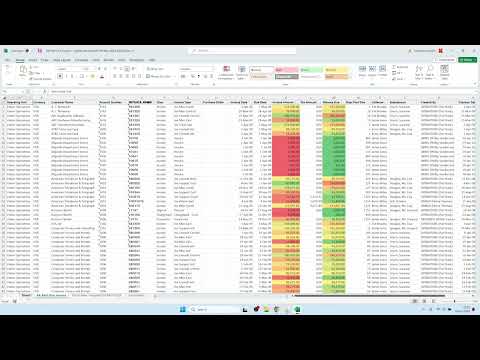
7:49 3. Selecting and running reports
How to use and navigate Blitz Report in Oracle EBS: full-text search, multiple parameter values, saved defaults, layout templates and request history.
Go deeper: guides, reports and AI skills
- GuideRunning reports from EBS
- GuideMultiple parameter values
- ReportGL Account Analysis
- ReportAP Invoices and Lines
- AI skillRun Blitz Reports in Excel
- AI skillBlitz Report Finder
 13:19
13:19 4. Creating and sharing layout templates
Create and customize layout templates in Blitz Report, including pivots, graphs and other Excel features, and share them with others.
Go deeper: guides, reports and AI skills
- GuideLayout templates
- GuidePivot tables
- ReportINV Onhand Quantities
- AI skillData Dashboard
- AI skillAnomaly Detection
 7:32
7:32 5. Scheduling and output file distribution
How to schedule and distribute Blitz Reports in Oracle EBS, covering email delivery and other distribution methods.
Go deeper: guides, reports and AI skills
 20:05
20:05 6. Creating a report from an SQL query
Creating new Blitz Reports from SQL queries, adding parameters with lists of values (LOVs) and assigning reports to business users.
Go deeper: guides, reports and AI skills
- GuideYour first report
- GuideLists of values
- ReportBlitz Report SQL Validation
- AI skillBlitz Report Developer
- AI skillReport Tester
 45:05
45:05 7. Advanced parameters, dynamic SQL, LOVs and parameter dependencies
Advanced parameter features: anchor types for dynamic SQL and flexible filtering, lists of values and dependent parameters.
Go deeper: guides, reports and AI skills
 27:59
27:59 8. Financial statements and drilldown
How to create and analyze financial statements with Blitz Report, with drilldown from GL balances to the subledger.
Go deeper: guides, reports and AI skills
- GuideBlitz FSG
- GuideConverting from a legacy tool
- ReportGL Financial Statement and Drilldown
- ReportGL FSG Reports
- AI skillFinancial statements in Excel
- AI skillGL variance analysis
Practice in your EBS
Short exercises with the reports, uploads and guide sections to use. Tick them off as you go.
All exercises done. Share this path with a colleague below, or explore the toolkits.
-
Run your first report into Excel
Run GL Account Analysis for the last period from the EBS forms and open the output in Excel.
- ReportGL Account Analysis
- GuideRunning reports
-
Save a layout template with a pivot table
Hide the columns you do not need, add a pivot table and save it as your template for the next run.
- GuideLayout templates
- GuidePivot tables
-
Upload journals from Excel
Open the GL Journal Upload, enter a few lines in Excel and upload them: each row shows its status and message.
- UploadGL Journal Upload
- GuideUploading data
- LibraryAll uploads
-
Build a financial statement with drilldown
Run a financial statement in Excel and drill down from a balance to the journals behind it.
-
Ask AI to analyse your AP invoice holds
With the Excel add-in skills, let Claude or Microsoft 365 Copilot run the AP Invoice on Hold report, categorise and age the holds.
- AI skillAP Invoice Holds Analysis
- ReportAP Invoice on Hold
-
Create a report from your SQL
Paste a proven SQL script, add two parameters and assign the report to a responsibility.
- GuideYour first report
- ReportBlitz Report SQL Validation
-
Add a dependent list of values
Make a parameter list depend on another parameter, for example subinventories of the chosen organization.
- GuideLists of values
- GuideDependent parameters
-
Import a BI Publisher report
Import one of your BI Publisher reports and compare the Blitz Report output with the original.
- GuideBI Publisher import
- AI skillReport Tester
-
Build your own upload
Create an upload from an API or interface table, starting from the example upload.
- GuideCreating uploads
- UploadBlitz Upload Example (Interface Table)
- AI skillUpload Builder
-
Let Claude Code build and tune a report
Install the development skills, then ask Claude Code to create a report, test it against the standard report and tune its SQL.
- AI skillBlitz Report Developer
- AI skillReport Performance Tuning
- GuideInstall the development skills
-
Install and run the first report
Install Blitz Report on a test environment and run the first report: typically less than an hour.
- GuideInstallation
- GuideTroubleshooting
-
Set up access roles and check licenses
Set the Blitz Report Access profile option for your users and review the active license users.
-
Find your most expensive SQL with AWR
Run DBA AWR SQL Performance Summary for the last week and see the package and code line behind each statement.
-
Schedule a concurrent request alert
Schedule FND Concurrent Requests to email errored requests every morning.
- ReportFND Concurrent Requests
- GuideScheduling a report
-
Compare two environments with AI
Run the same report against test and production and let the Instance Diff skill show the differences.
Learn faster with AI
Blitz Report AI skills let Claude in Excel, Microsoft 365 Copilot in Excel and Claude Code work with your Oracle EBS data. Copy a prompt and try it.
Run Blitz Reports in Excel
Find, run and analyze Oracle EBS Blitz Reports in Excel: GL, AP, AR, inventory, purchasing, WIP, assets and HR data.
“Run GL Account Analysis for last period and summarise the largest movements by account.”
Blitz Report Finder
Find the right report by meaning, not by name: describe your business question.
“Which report shows supplier invoices on hold with the hold reason?”
Month-end close readiness
Run the readiness checks for AP, AR, Inventory and Costing, FA and GL and get one close status.
“Are we ready to close the period? Run the month-end readiness checks for all modules.”
AP invoice holds analysis
Categorise and age AP invoice holds, flag anomalies and build a holds dashboard.
“Analyse our AP invoice holds: group them by reason and age, and show the oldest ones.”
Financial statements in Excel
Build, refresh, read and drill financial statements with Blitz FSG.
“Refresh the income statement for this period and explain the main variances to last year.”
Anomaly detection
Find outlier transactions, duplicate invoices and data-quality errors in any report.
“Check this AP invoice data for possible duplicates and unusual amounts.”
Blitz Report Developer
Create and update Blitz Reports and uploads for Oracle EBS with Claude Code.
“Create a Blitz Report listing open purchase orders with receipts and invoices per line.”
Convert Oracle Reports
End-to-end conversion of RDF, BI Publisher or concurrent program reports to Blitz Reports.
“Convert our custom RDF report XXAP_INVOICE_REGISTER to a Blitz Report and test it.”
Report Tester
Run the original Oracle report and the Blitz version with the same parameters and compare the output.
“Test the new Blitz Report against the standard Oracle report with last month as parameters.”
Report performance tuning
Measure buffer IO per row, find the expensive components and apply targeted fixes.
“This report takes 10 minutes. Find what makes it slow and tune the SQL.”
Upload Builder
Build Blitz Upload definitions and PL/SQL processing packages for Oracle EBS.
“Build an upload to update supplier site payment terms through the public API.”
Set up the AI skills
Install the skills in Claude in Excel or Microsoft 365 Copilot, and set up Claude Code.
“Which Blitz Report skill fits reconciling AR to the general ledger?”
Audit trail and access review
Answer “who changed what, when” across Oracle EBS setups, profiles and access.
“Who changed profile options or responsibilities in production last week?”
Instance diff
Run the same report against two environments, such as test and production, and compare.
“Compare the profile option values between TEST and PROD and list the differences.”